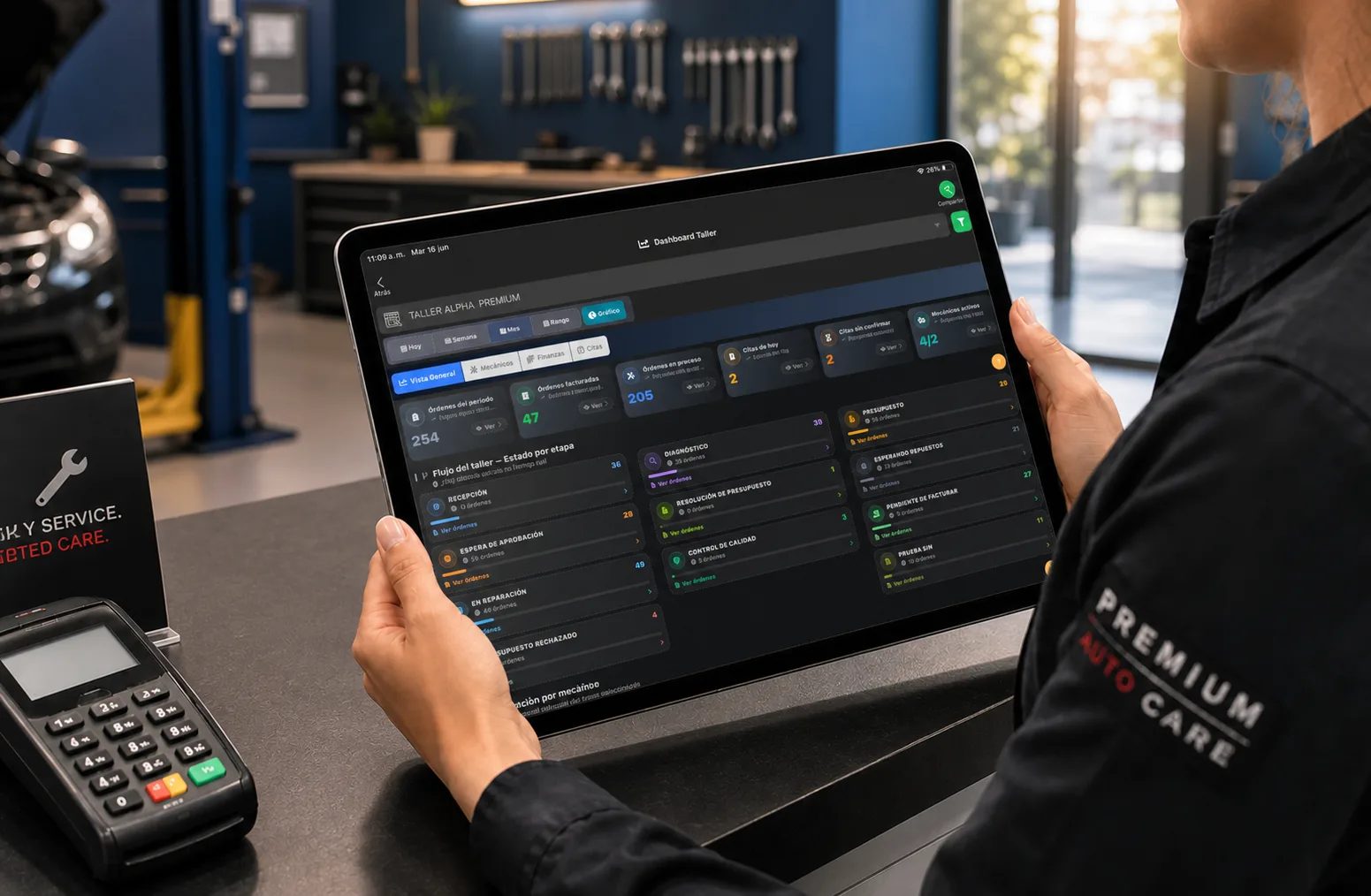
Managing an auto repair shop is not just about fixing vehicles. It means coordinating customers, diagnoses, technicians, parts, time, payments and deliveries without information getting lost between paper, phone calls, spreadsheets and text threads.
Short answer: to run a shop well you have to control five areas: repair orders, vehicles, technicians, parts and finances. Information has to move from check-in to delivery through a process everyone can see.
This guide covers ten practical steps to improve how you manage an auto repair shop, from the first customer contact to the numbers that tell you what to fix next.
What managing a shop actually involves
Shop management has two dimensions that have to work together. The first is operational: receive the vehicle, diagnose it, estimate, repair, inspect and deliver. The second is administrative: know who authorized the work, which parts were used, what it cost, what was billed, and whether the job made money.
When those halves are handled separately, familiar problems show up: incomplete repair orders, technicians without clear priorities, parts leaving the shelf with no repair attached, customers who never get an update, and invoices that have to be retyped.
Good shop management means each piece of data gets recorded once and feeds the next step.
1. Define a process that starts the moment the vehicle arrives
Every vehicle should follow a route the whole team knows:
- Check-in.
- Diagnosis.
- Estimate.
- Customer authorization.
- Repair.
- Quality control.
- Delivery and payment.
Not every job takes the same time or the same tasks, but the flow keeps a repair from moving forward without a diagnosis, an authorization or an owner. At check-in, record the concern, odometer, visible condition, photos and customer details.
A digital vehicle check-in makes that starting point available to the front counter, the technicians and the office. For the document that travels with each step, see the guide on how to write a repair order.

2. Centralize your repair orders
A repair order is not just a list for billing. It is the file for the repair: what the customer reported, what the technician found, which services were approved, which parts were used, and what happened before delivery.
Do not split that information between a notebook, a spreadsheet, calls and messages. When someone needs to know where a vehicle is, which part is missing, or whether the customer approved an estimate, the answer should be in the RO.
Auto repair shop software lets you centralize the work and pull up history without rebuilding it by hand at the end of the day.
3. Organize the technicians’ work
The shop needs to know who is on each vehicle, which tasks are still open, and what takes priority. If the team gets instructions through several channels, it is easy for an RO to stall or for two people to each assume the other handled something.
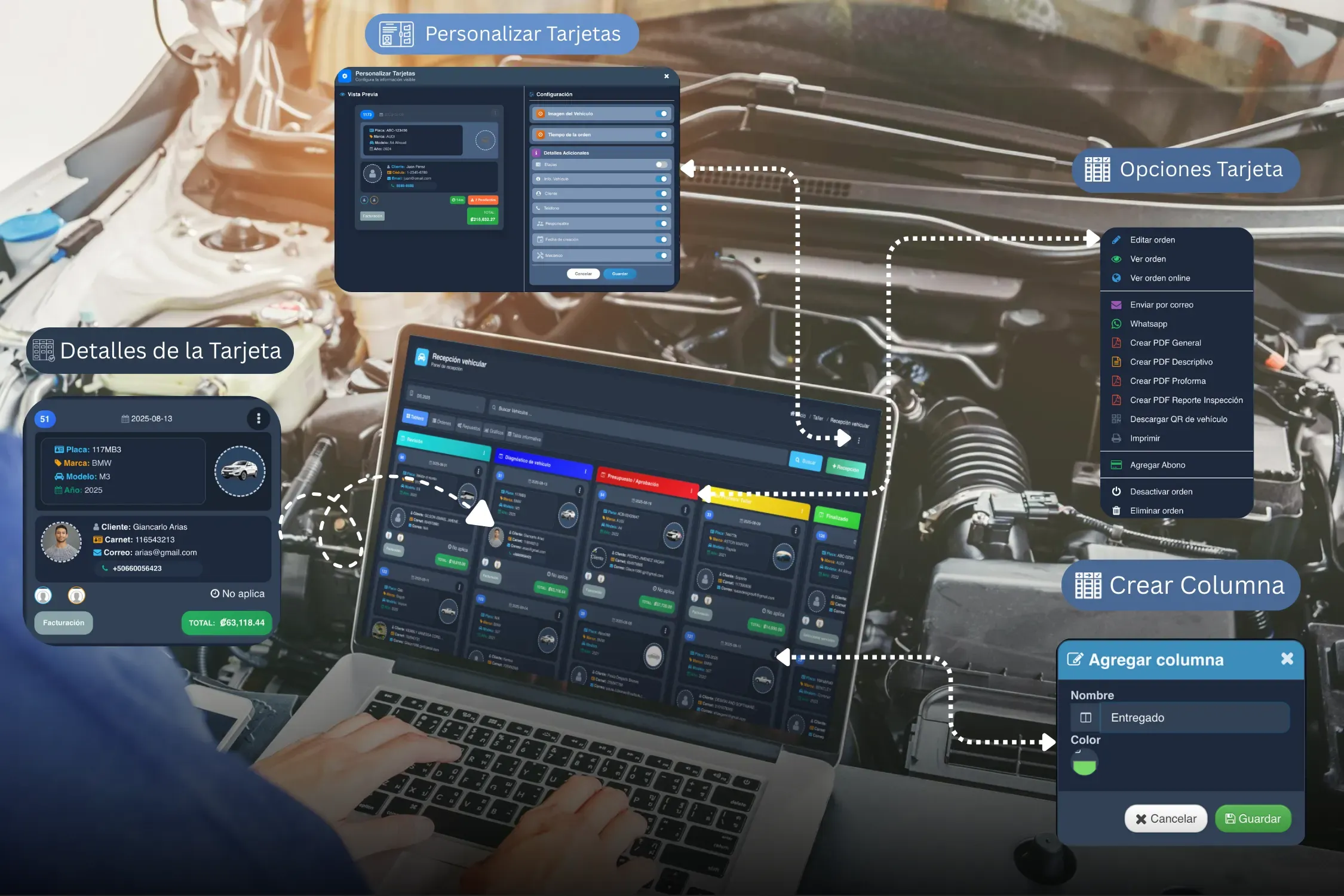
Define owners, promised times and simple statuses: received, in diagnosis, awaiting approval, waiting on parts, in repair, quality control, ready for delivery. These statuses should not be decoration; each one should say what is missing and who acts next.
A workflow board helps visualize the flow and catch bottlenecks before they turn into late deliveries. It also lets you see how many ROs are stuck on authorization, parts or capacity.
4. Control the parts you use
Shop inventory is not just counting products. You need to know what came in, what went out, what it cost, what is on hand, and which repair order each part went to.
Linking a part to an RO helps prevent losses and answers concrete questions: what was installed on a vehicle, what the repair cost, or why a quantity dropped. It also lets you spot fast-moving products and reorder ahead of time.
See how to manage parts inventory for recording movements with context instead of deducting parts from memory.
5. Keep a history on every vehicle
Good history connects the customer, the vehicle, previous repairs, diagnoses, photos, parts and open recommendations. When a customer comes back, the team does not have to rely on memory or dig through old messages to understand what happened before.
History also improves service. It lets you explain what was repaired, check whether a recommendation was already made on a previous visit, and follow up on warranties or maintenance. For the customer it reads as organized and professional; for the shop it cuts lookup time and miscommunication.
6. Keep the customer informed
“Is my car ready yet?” usually shows up when the customer has no visibility into the process. You do not need to message on every movement, but you do need to communicate the moments that matter: diagnosis available, estimate pending, approval received, part on order, repair complete, vehicle ready.
Share it clearly: what was found, what work is recommended, what it costs, what was authorized, and the estimated date. Photos and technical notes back up the conversation, especially when there is pre-existing damage or additional work.
Organized communication cuts interruptions to the team and prevents promises that do not match the real state of the RO.
7. Control revenue, costs and profitability
Invoicing more does not always mean earning more. To improve a shop you have to separate sales, labor, parts, discounts, costs and expenses. If an RO includes a part, its cost has to stay linked to the charge — otherwise there is no way to tell whether the job made money.
Also review jobs that eat a lot of hours, the services with the best margin, and the repairs that generate comebacks. That data lets you adjust pricing, write better estimates, and decide which services are worth pushing.
Billing works best when it pulls from the operation instead of forcing someone to retype everything after the service is done.
8. Use metrics to make decisions
Metrics turn daily shop activity into practical decisions. You do not need an accounting course or twenty reports to start. Pick a few numbers that answer real questions:
- How many vehicles did we handle this week?
- How many repair orders are still open, and why?
- What is our average repair order?
- Which technicians or services carry the most work?
- How long does a vehicle sit before delivery?
- Which parts move most, and which are short?
- What percentage of estimates get approved?
Reviewing these on a set cadence lets you correct problems before they hit revenue or customer experience. The auto repair shop KPIs guide covers the formulas and how to read them without turning them into a stick.
Common mistakes in shop management
Improving how you run a shop does not require changing everything in a week. What matters is avoiding practices that hide problems and make them hard to measure.
- Recording information at the end of the day: leaving repair orders, parts or payments for later multiplies forgotten details and gaps between what happened and what got documented.
- Accepting additional work with no record: when a new repair comes up, update the estimate and keep the approval with the RO. That protects both the customer and the business.
- Issuing parts without tying them to repair orders: a stock movement with no vehicle, technician or service attached tells you nothing about the cost of the repair.
- Measuring only revenue: sales matter, but they have to be read alongside costs, cycle time, discounts and comebacks to know whether there is profit.
- Depending on one person to know the status of everything: the process has to be visible to the front counter, technicians and the office, even when the usual coordinator is out.
Start with a visible, repeatable process. Then digitize the parts that already work and check what information is still missing to make confident decisions.
| Area | What to control | What happens if you do not |
|---|---|---|
| Check-in | Vehicle, condition and photos | Disputes or incomplete data |
| Repair orders | Diagnosis, work and authorizations | Lost information or rework |
| Technicians | Owners, statuses and time | Delays and unclear priorities |
| Inventory | Parts, costs and on-hand | Shrinkage or stockouts |
| Customers | History and communication | Poor experience and repeat calls |
| Finances | Costs, sales and profit | You do not know if the shop is making money |
9. Automate the repetitive parts
Automating does not mean taking judgment away from the technician. It means cutting repetitive tasks so the team has more time to diagnose, repair and take care of customers.
Voice dictation can speed up recording notes; reminders help follow up on authorizations; templates cut work when preparing documents; and AI can help organize technical reports or estimates from information already recorded.
The key is automating on top of real shop data. A tool will not fix a confusing process on its own, but it can make a well-defined workflow much more consistent.
10. Move to a system when the shop starts growing
Early on you can run with separate tools. But as repair orders, technicians, photos, parts and customers multiply, keeping it all connected by hand creates duplicate work and dependence on one person.
At that point, a shop management system helps centralize check-in, repair orders, inventory, billing, reporting and communication. Taller Alpha connects these areas in one platform so information follows the vehicle through the whole process.
Before adopting any tool, run a real case from your own operation: receive a vehicle, create the RO, assign the technician, add a part, record an authorization, and see how the information reaches billing. That walkthrough tells you more than a feature list about whether the system fits your team.
Frequently asked questions
How do you manage an auto repair shop better?
Define a process from check-in through delivery, centralize repair orders, assign owners, control parts, and review operating and profitability metrics.
How should repair orders be organized?
Include customer, vehicle, diagnosis, services, parts, assigned technician, evidence, authorizations, statuses and close-out in one order the team can pull up.
How do you control parts?
Record receipts, issues, on-hand quantities and costs, and link each part to the repair order where it was used. That surfaces shortages and shows the real cost of each repair.
Which metrics should a shop track?
Start with car count, open repair orders, average repair order, effective labor rate, technician productivity, cycle time, inventory movement and gross profit.
When does a shop need software?
When it has become hard to keep repair orders, photos, technicians, customers, parts and billing connected with separate tools.