Priority01
Work without a visible order
Repair orders move through messages and memory without a clear workload.
- Workload is hard to see
- Owners are scattered
Operations and administration
Run your complete shop operation with connected information: plan work, manage technicians and time, relate costs to every repair order, and review the metrics needed to make clear decisions.
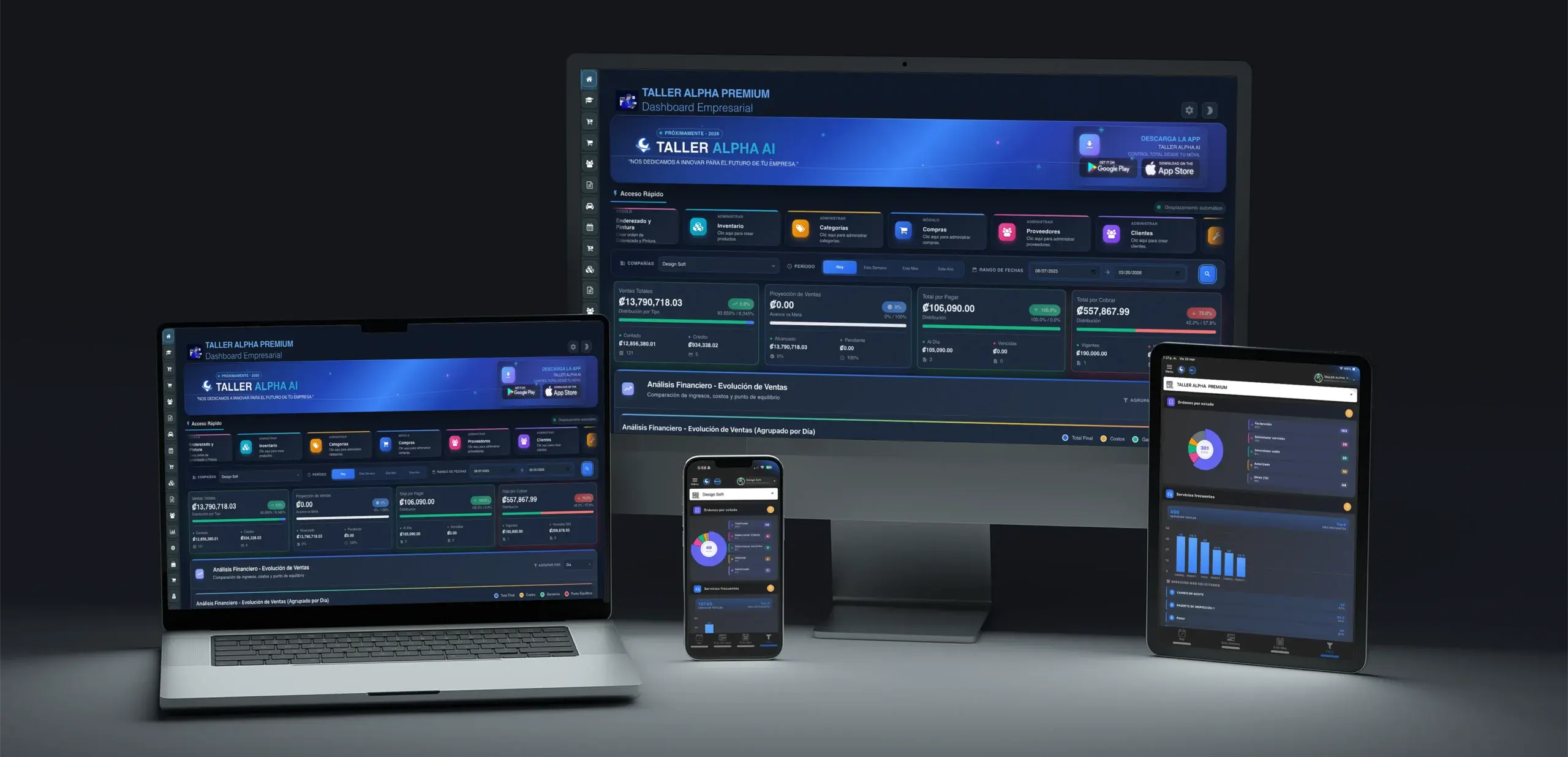
One view to decide
Repair orders, workload, payments, and metrics in context.
Management challenges
The operation can be moving while management still lacks a clear view of priorities, costs, and results.
Repair orders move through messages and memory without a clear workload.
It is unclear how long each repair takes or who must continue it.
Parts, services, and payments are spread out across the operation.
Management notices issues only after delays or shortages appear.
Plan, assign, control resources, collect payment, and measure every job within one connected process.
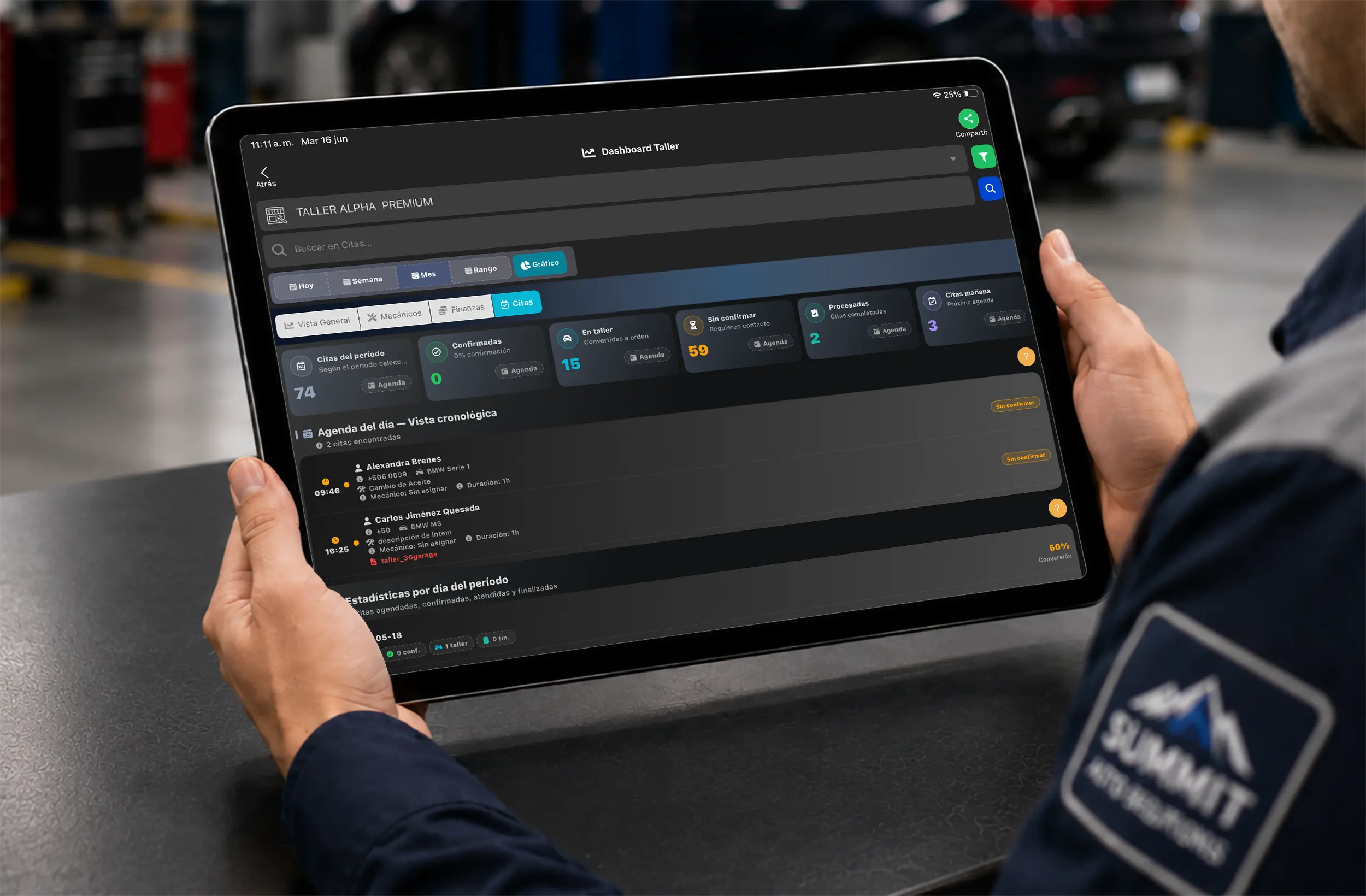
Plan
Review appointments and priorities.
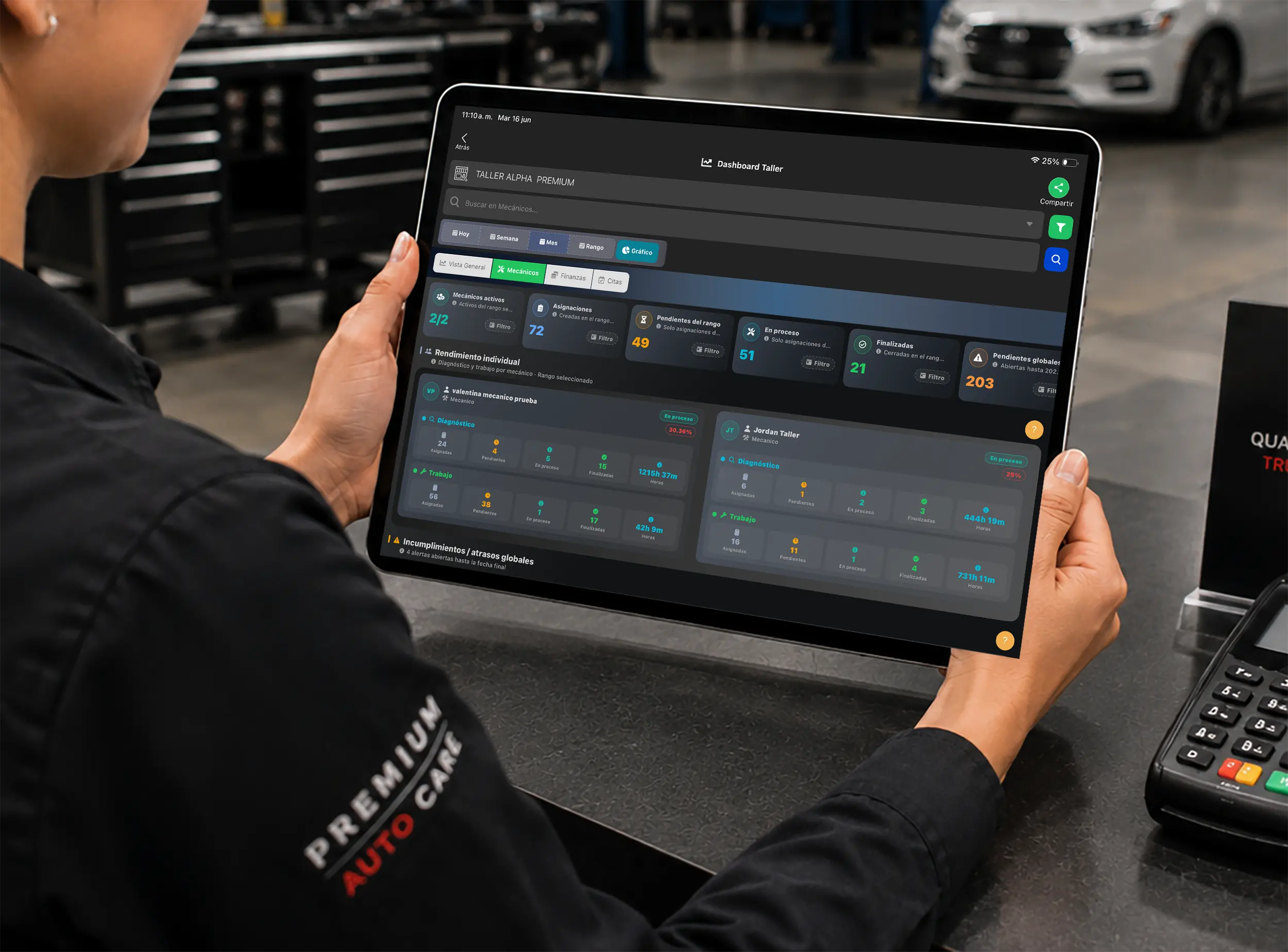
Assign
Set owners and review available capacity.
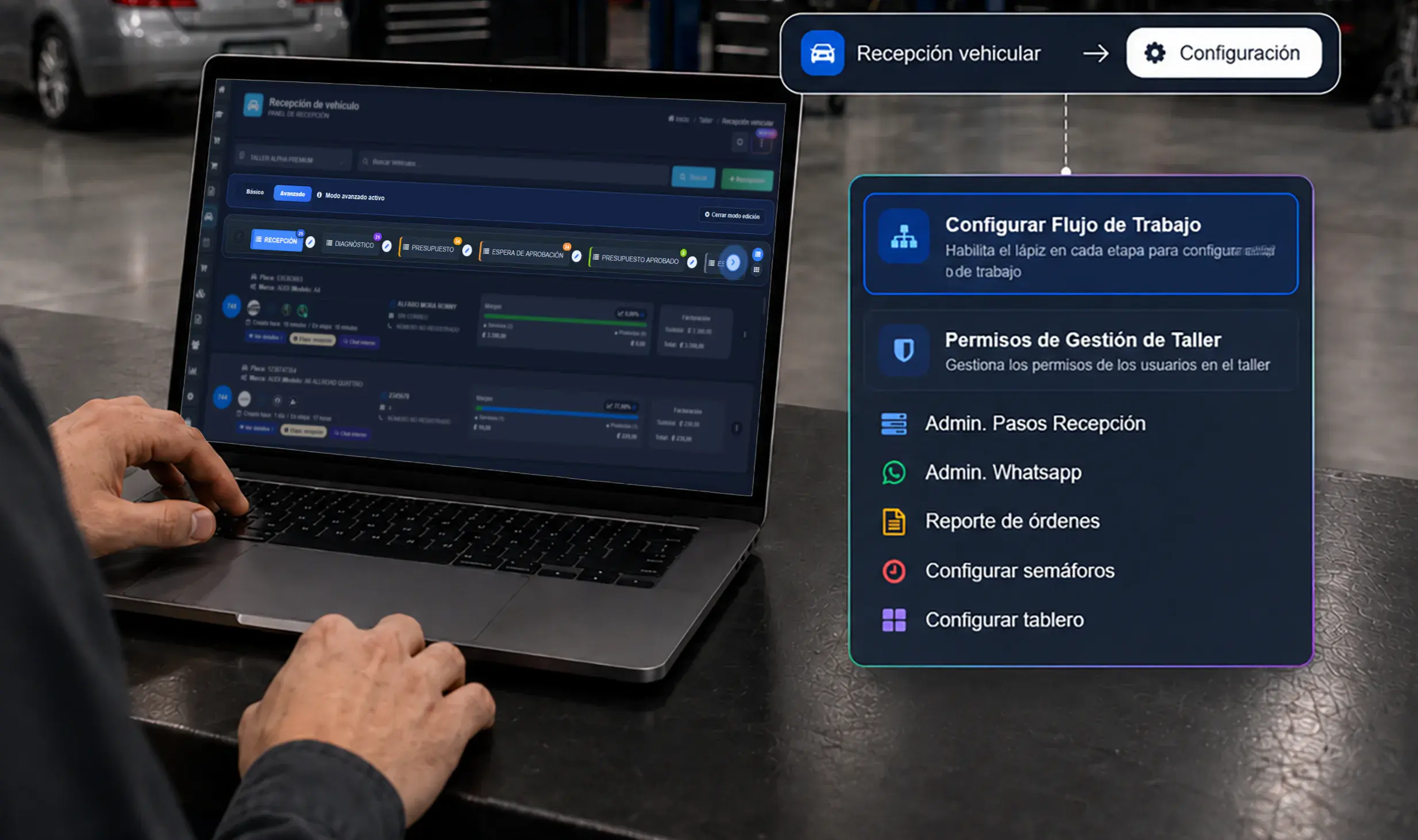
Follow up
Review statuses and detect stalled work.
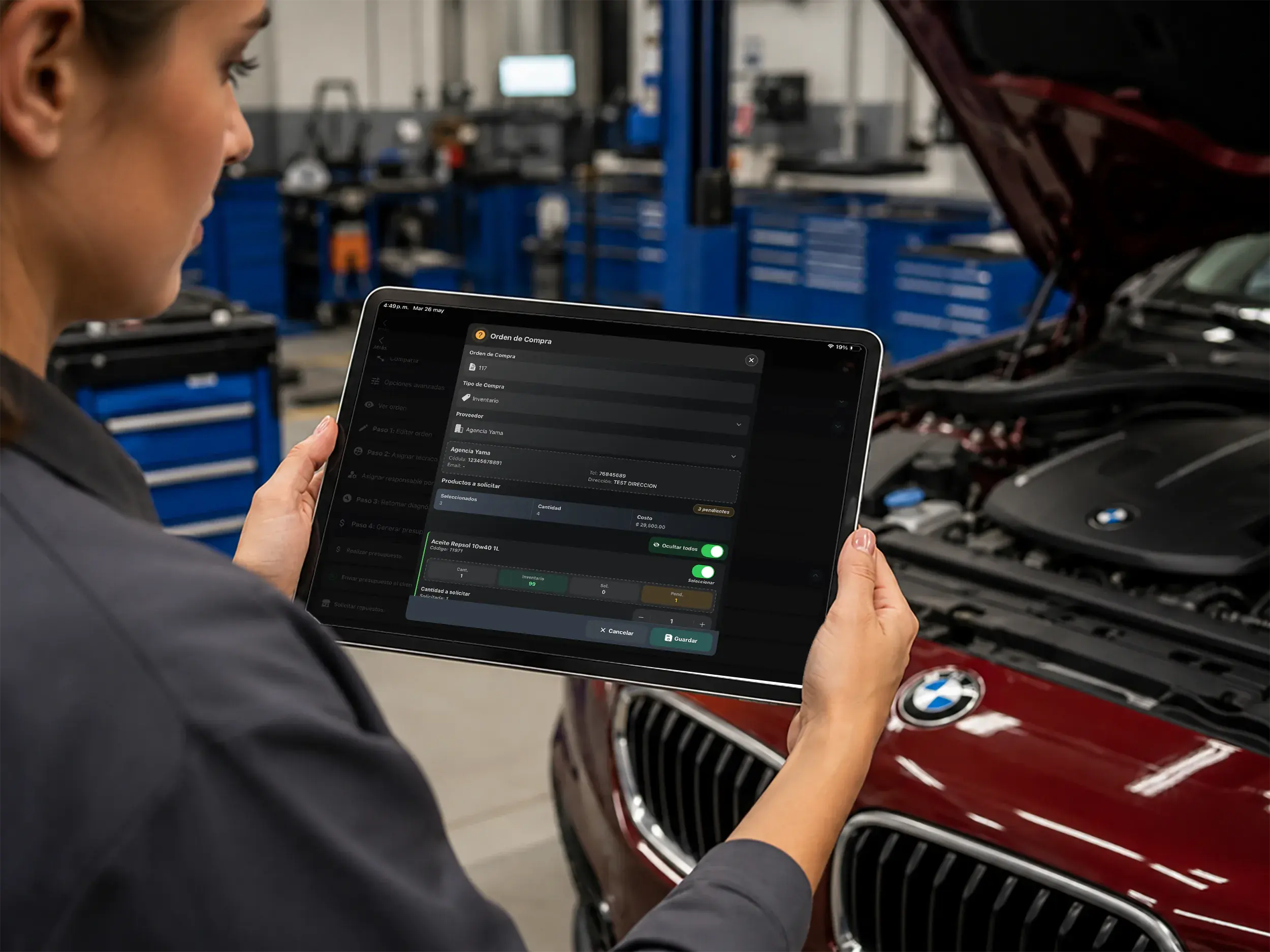
Control resources
Keep repair resources connected to each order.
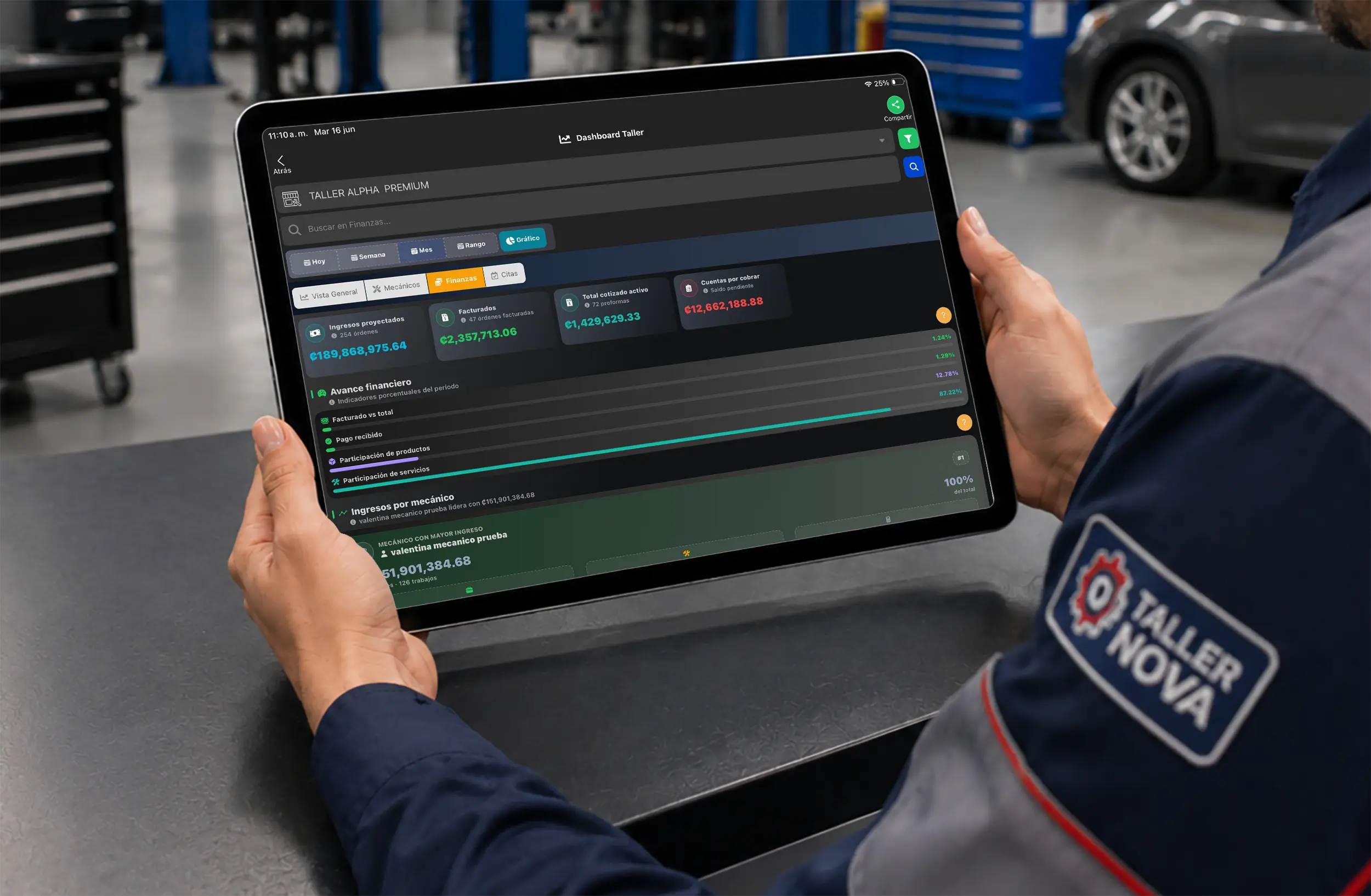
Collect
Connect operations with invoicing and balances.

Measure
Review productivity, sales, and performance.
Connected management
Repair orders, technicians, inventory, and finances share information so management can act with context.
See statuses, owners, and workload.
Control stock, requests, and parts.
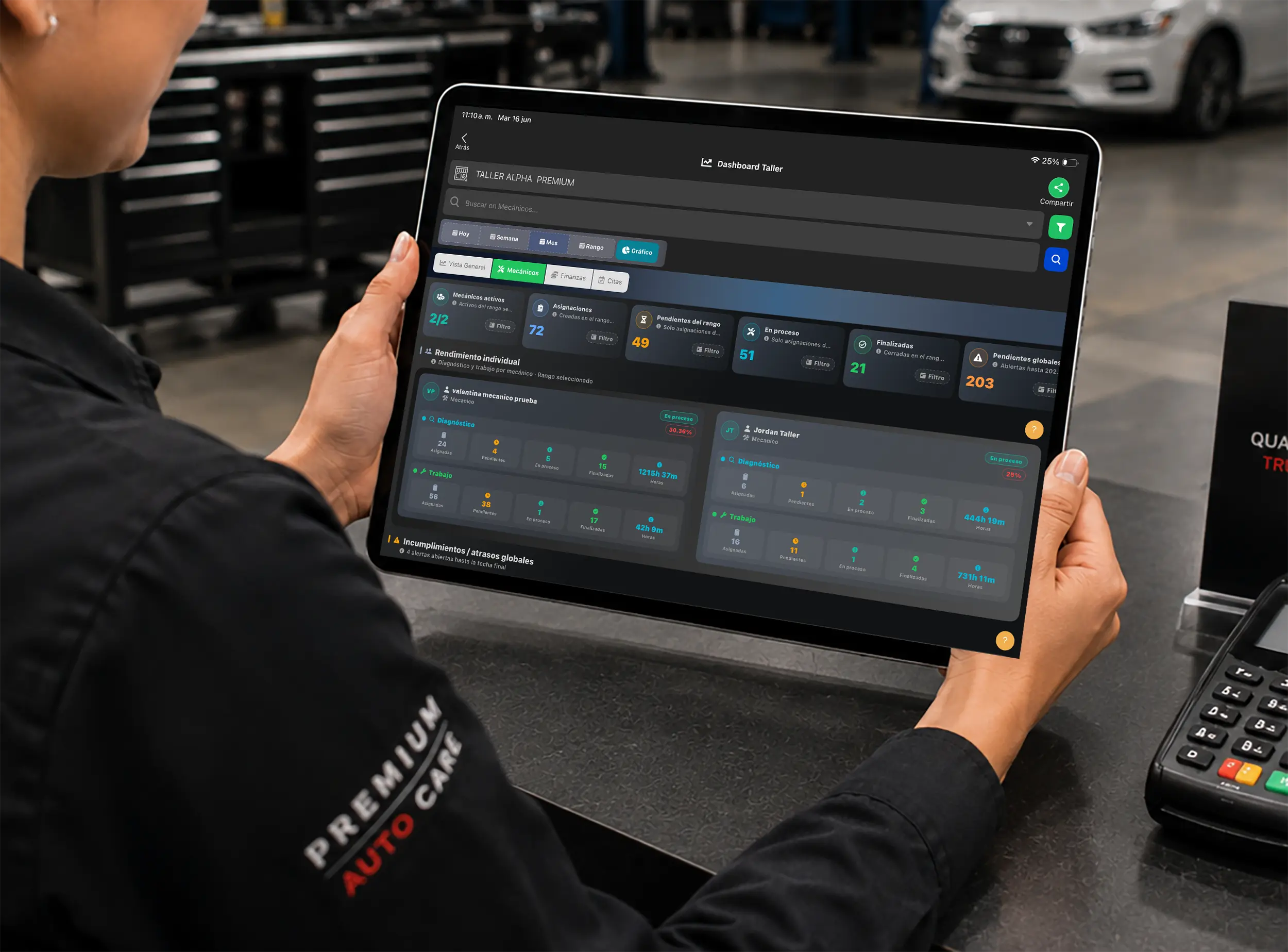
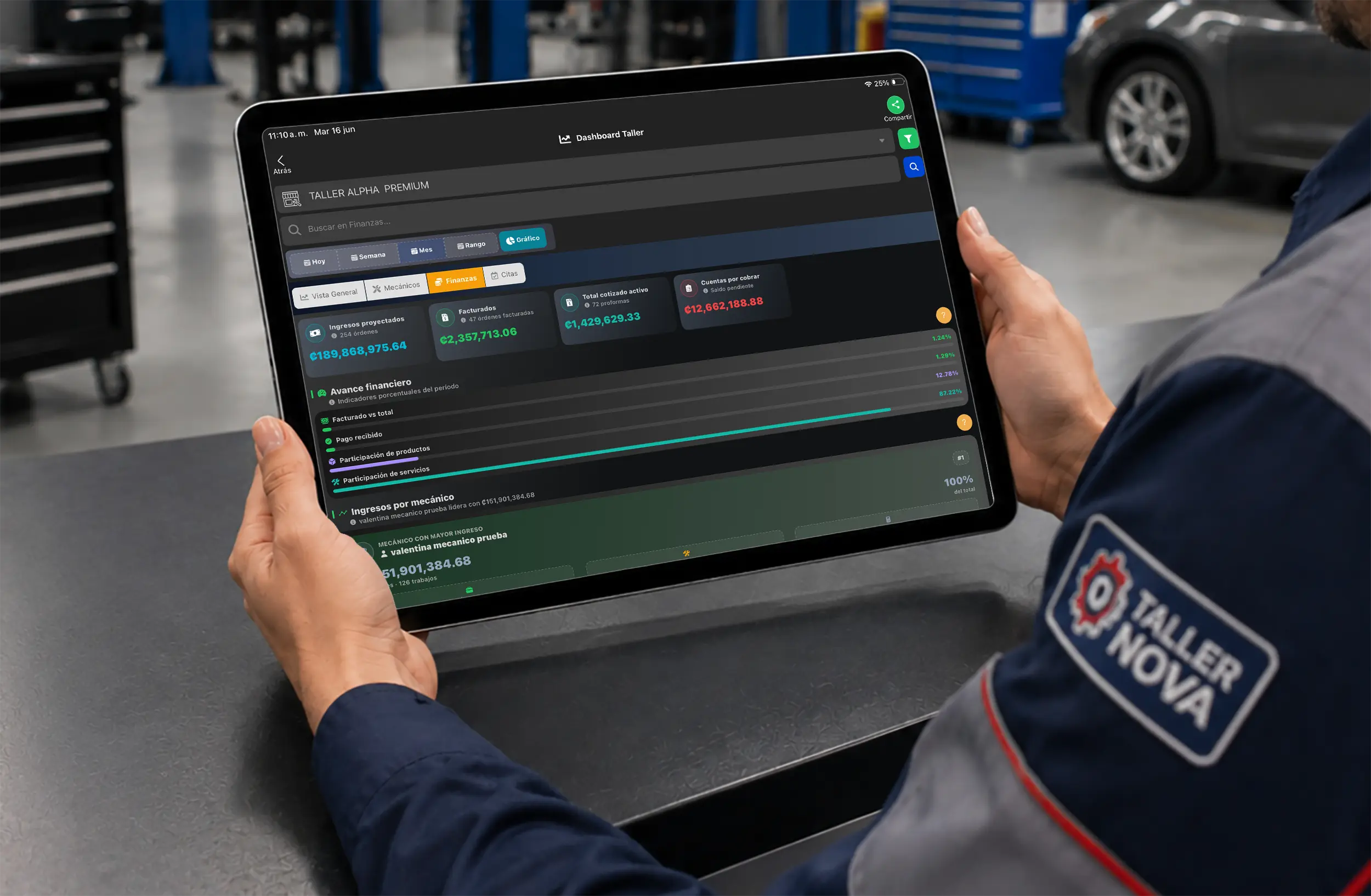
Monitor workload, productivity, appointments, and finances through clear operational views.
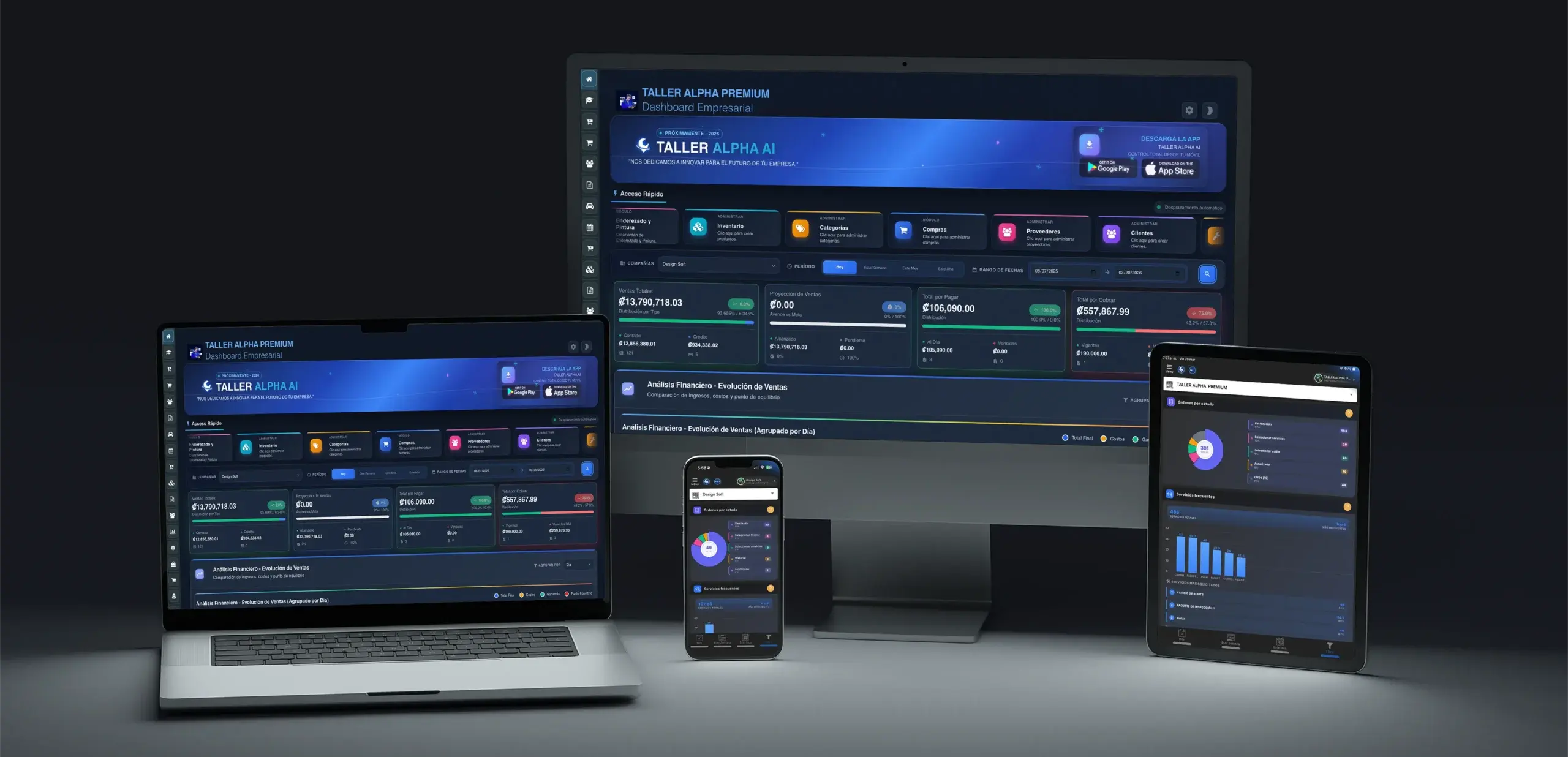
Overall tracking
Review the business without rebuilding disconnected information.
Capacity and productivity
Review assignments, progress, and performance.
Revenue and payments
See sales and accounts receivable with context.
Schedule and capacity
Review appointments and work in progress.
Analyze technicians, repair orders, time, parts, and results with information ready to review.
Technicians and repair orders
Review completed orders, hours, and financial contribution.
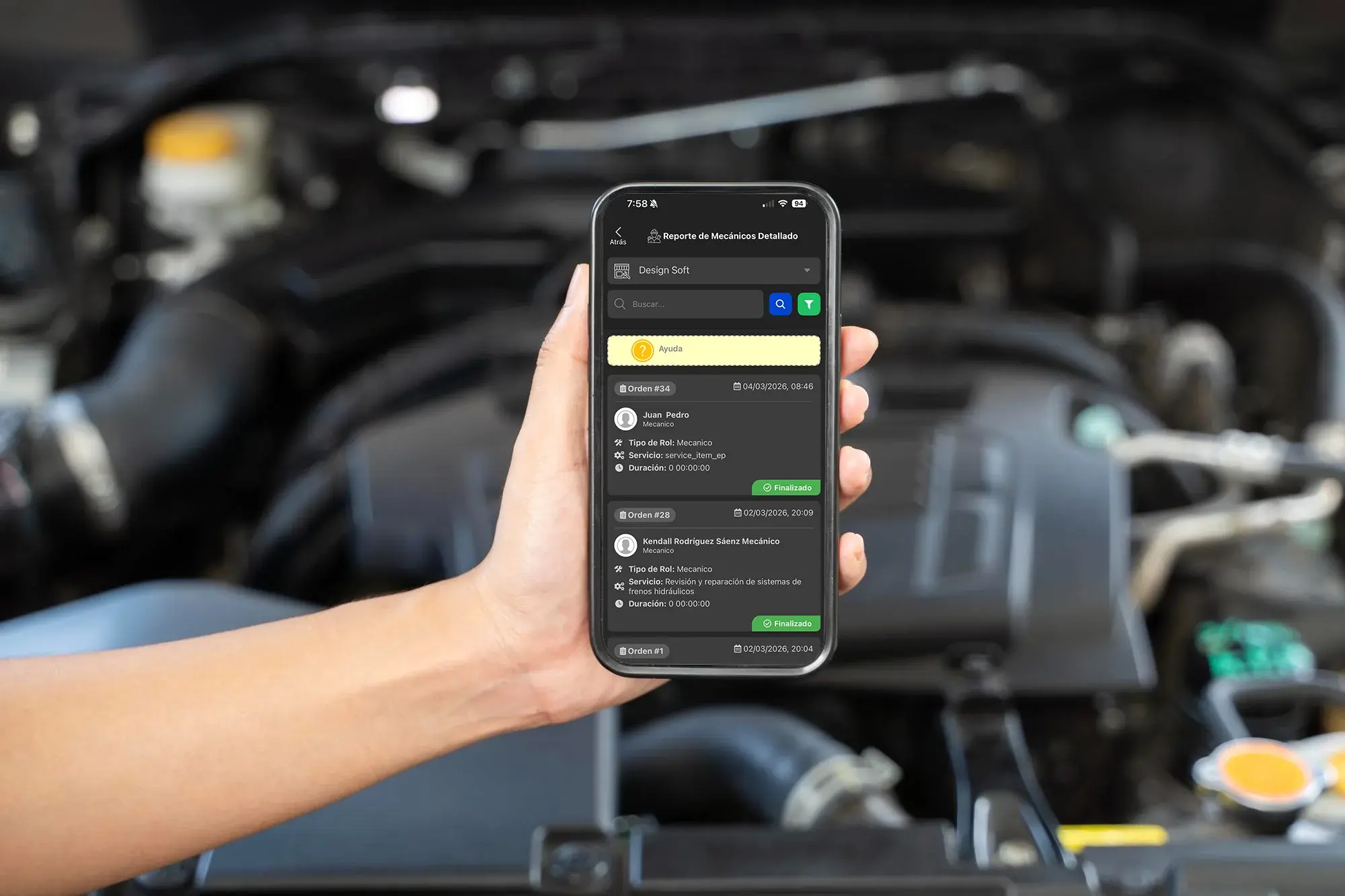
Time, services, and parts
Connect technical execution with time and resources.

Vehicle history
Review services and parts associated with every vehicle.
Automotive operations experience
Automotive businesses keep customers, vehicles, repair orders, parts, and administration within Taller Alpha.

Personalized demo
Tell us how you manage repair orders, technicians, inventory, and payments.
Request a demoFrequently asked questions
It connects shop operations and administration in one platform.
Yes. It connects owners, repair orders, hours, and results.
Yes. It relates services, parts, time, and financial information.
Yes. These workflows remain connected to operations.
It integrates the main operational and administrative areas of an automotive business.
Yes. Taller Alpha is available on web, iOS, and Android.