
Kanban Board for Auto Repair Shops
Track repairs in real time, assign tasks and stop missing promised times with a visual Kanban board for your shop.
Kanban software for auto repair shops
Kanban Board You Can Customize
Organize your shop's workflow with a customizable Kanban board for auto repair and collision shops. Set up columns, stage times and visual alerts to keep every repair under control.
- Build columns that match how your shop actually works.
- Set stage times and use color indicators to catch delays early.
- Choose exactly what information shows on each job card.
Kanban Board for Auto Repair Shops
- Step 1: Setup
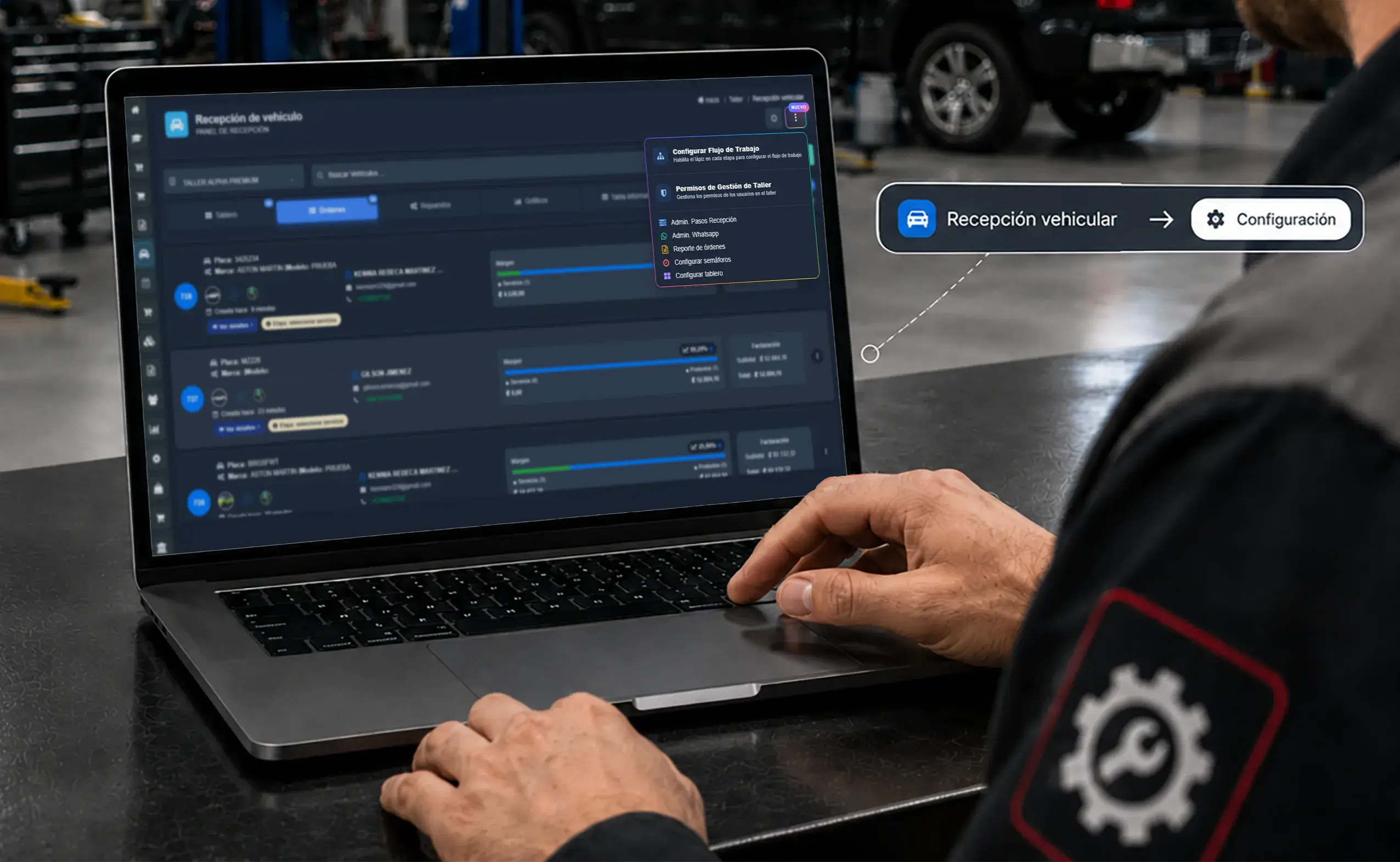
Board settings
Open your Kanban settings
Open the settings panel to customize your Kanban board, manage shop permissions and shape the visual workflow around how your business actually runs.
- Step 2: Stages
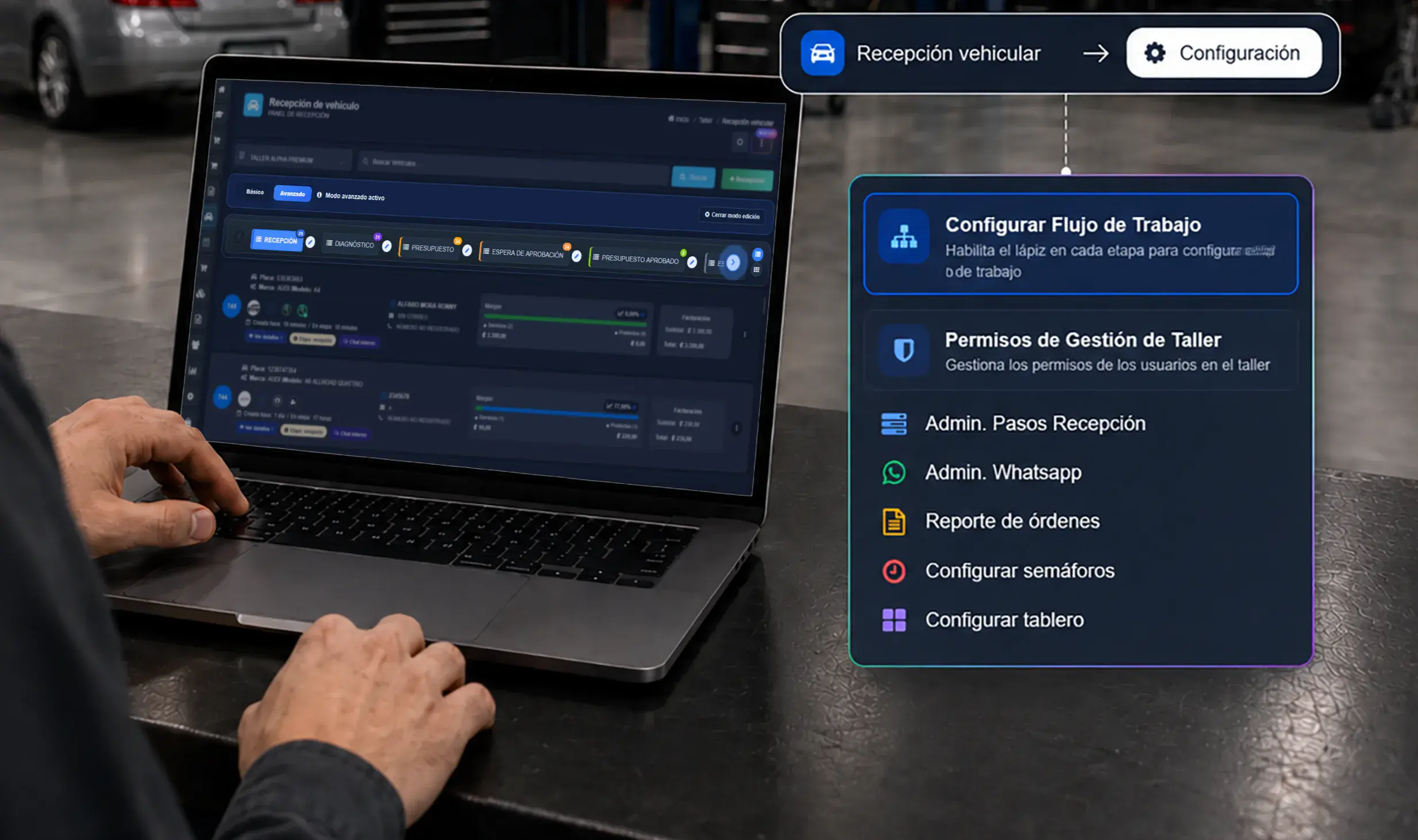
Workflow
Customize every stage of the process
Create custom columns, define statuses like check-in, diagnosis, waiting, in repair or delivered, and shape the Kanban flow around your real operation.
- Step 3: Roles
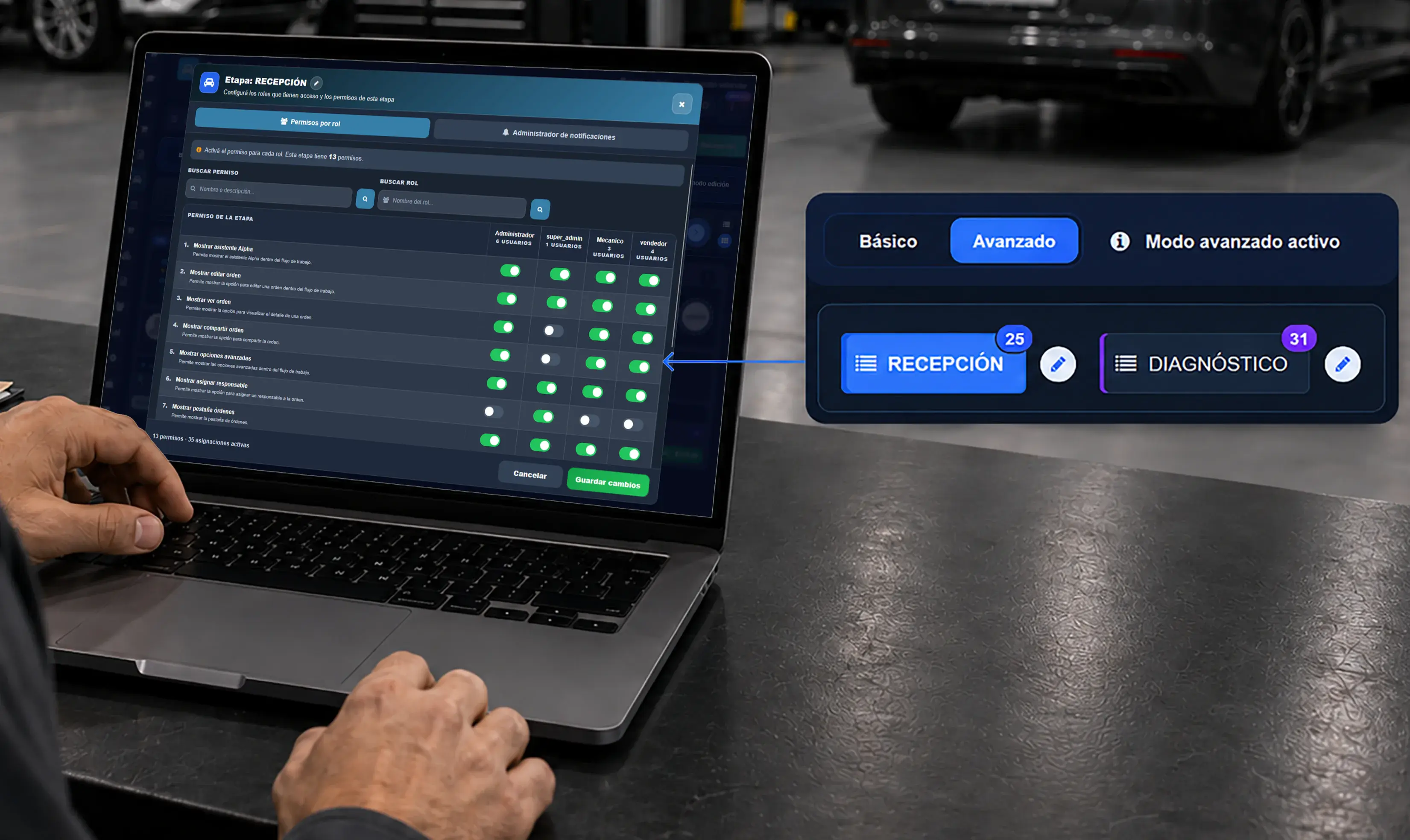
Access control
Permissions by role and stage
Control who can move repair orders, edit cards or see key information in each column, based on the user's role.
- Step 4: Alerts
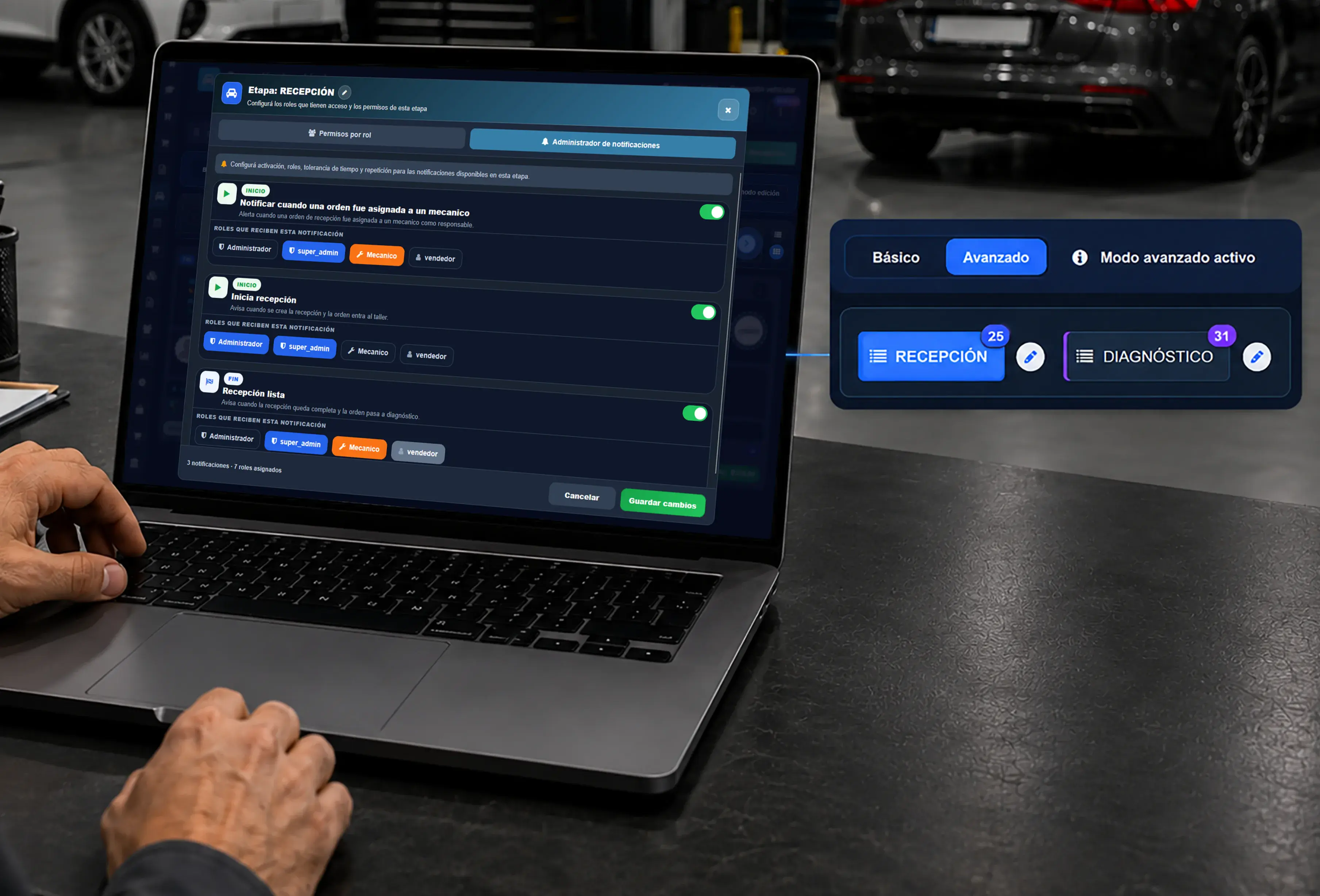
Indicators and alerts
Automate time-based alerts
Set up color indicators, time tolerances and automatic notifications so delays, bottlenecks and stages that need attention surface right away.
- Step 5: Management
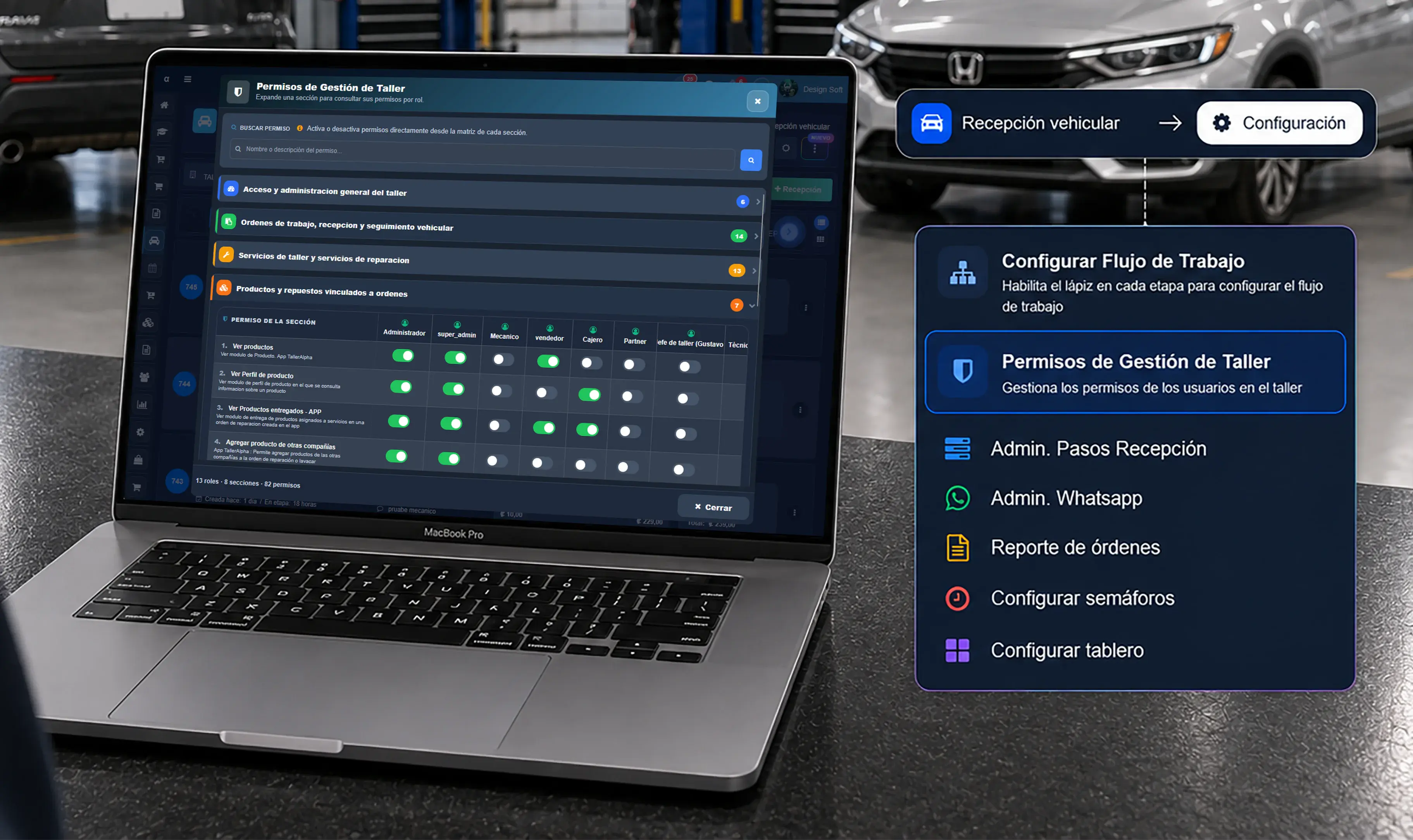
Organization-wide control
Connect the board to the whole shop
Tie the Kanban board to repair orders, vehicle check-in, inventory and general administration to centralize control of the shop.
- Step 6: Real time
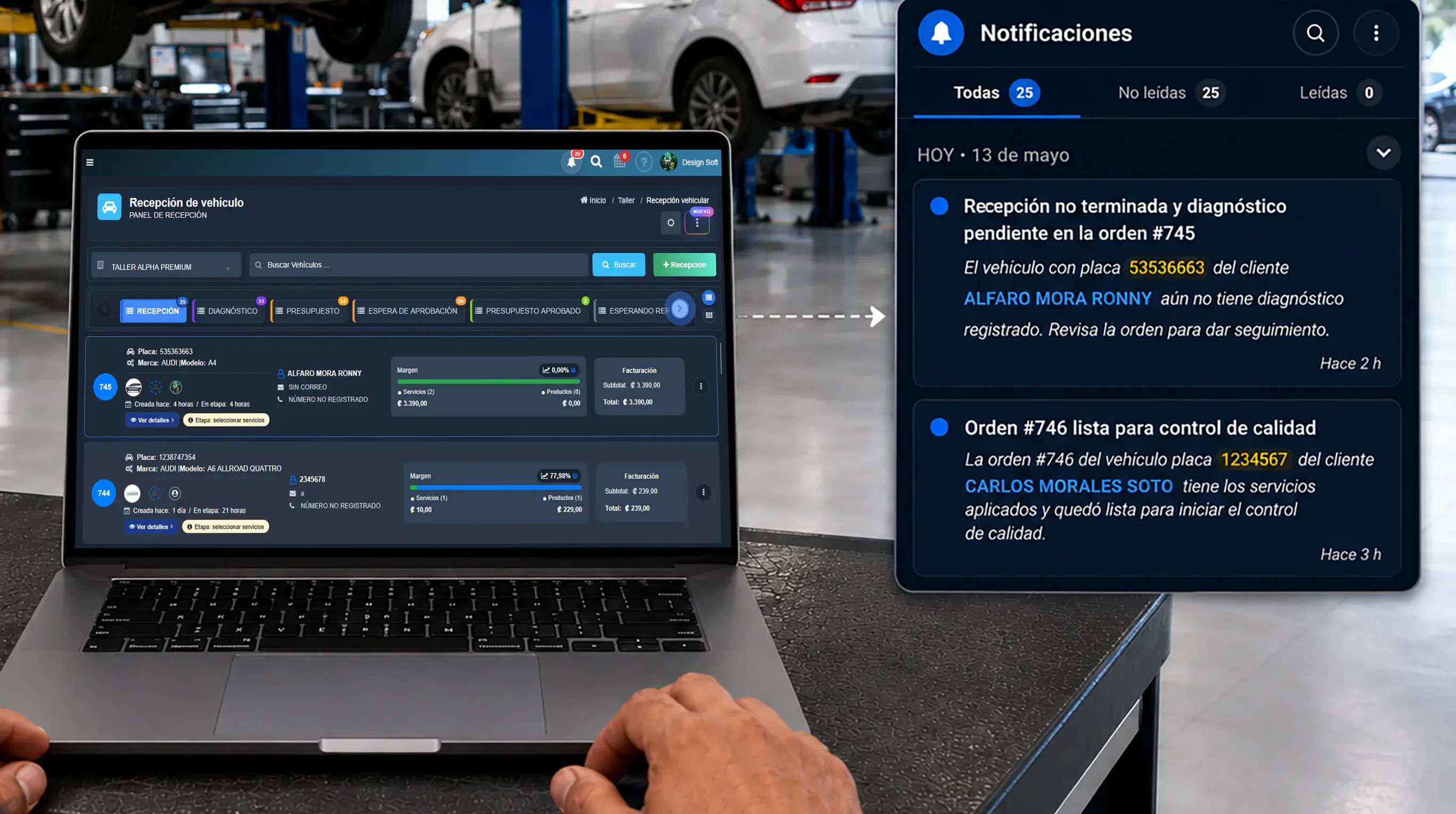
Operational tracking
Get updates in real time
Keep the team informed when a repair moves forward, falls behind or changes hands, so coordination improves and promised times hold.
Point of Sale for Kanban Board
- Board to payment
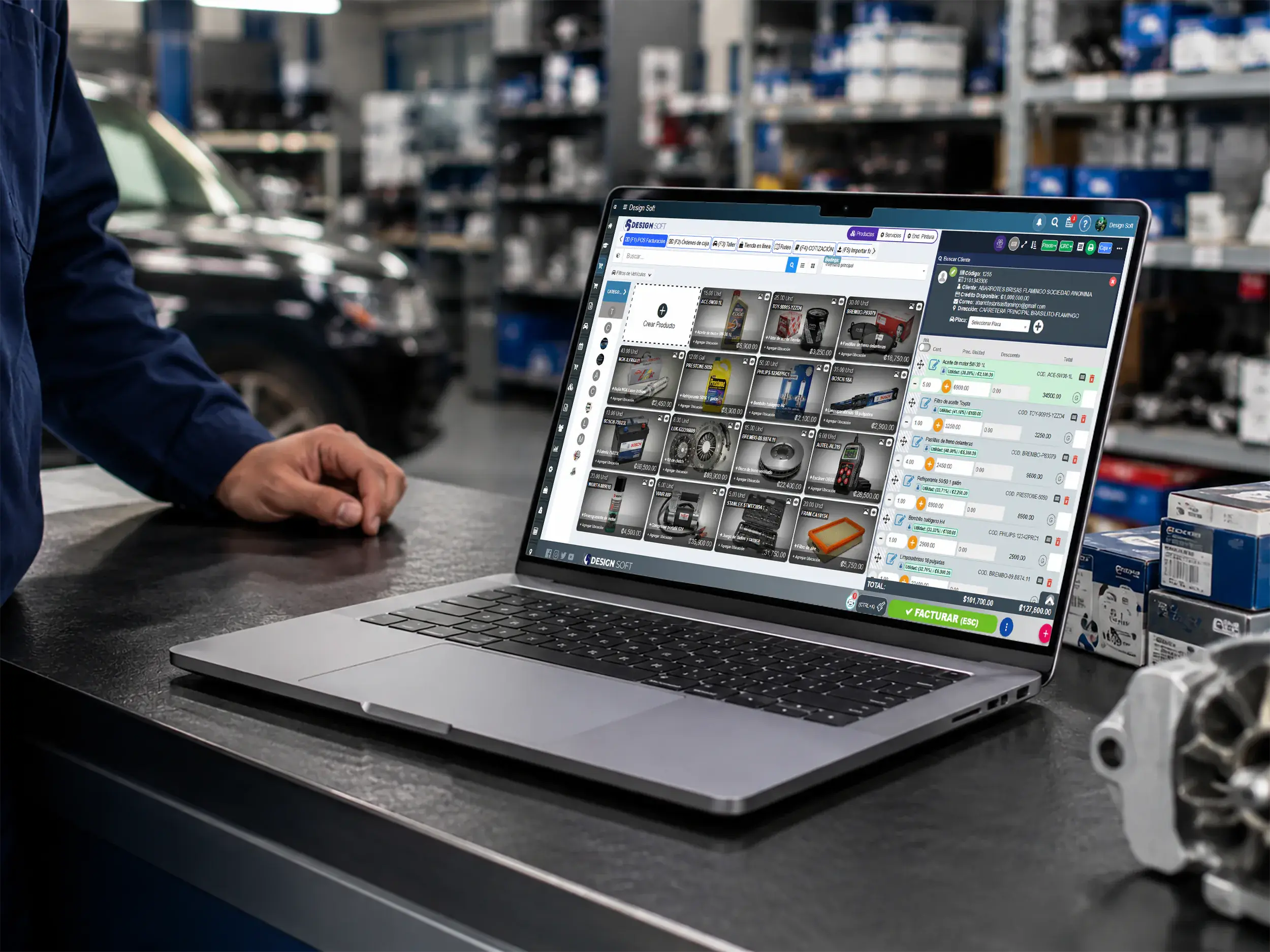
Point of sale for auto shops
Turn every stage into cleaner billing
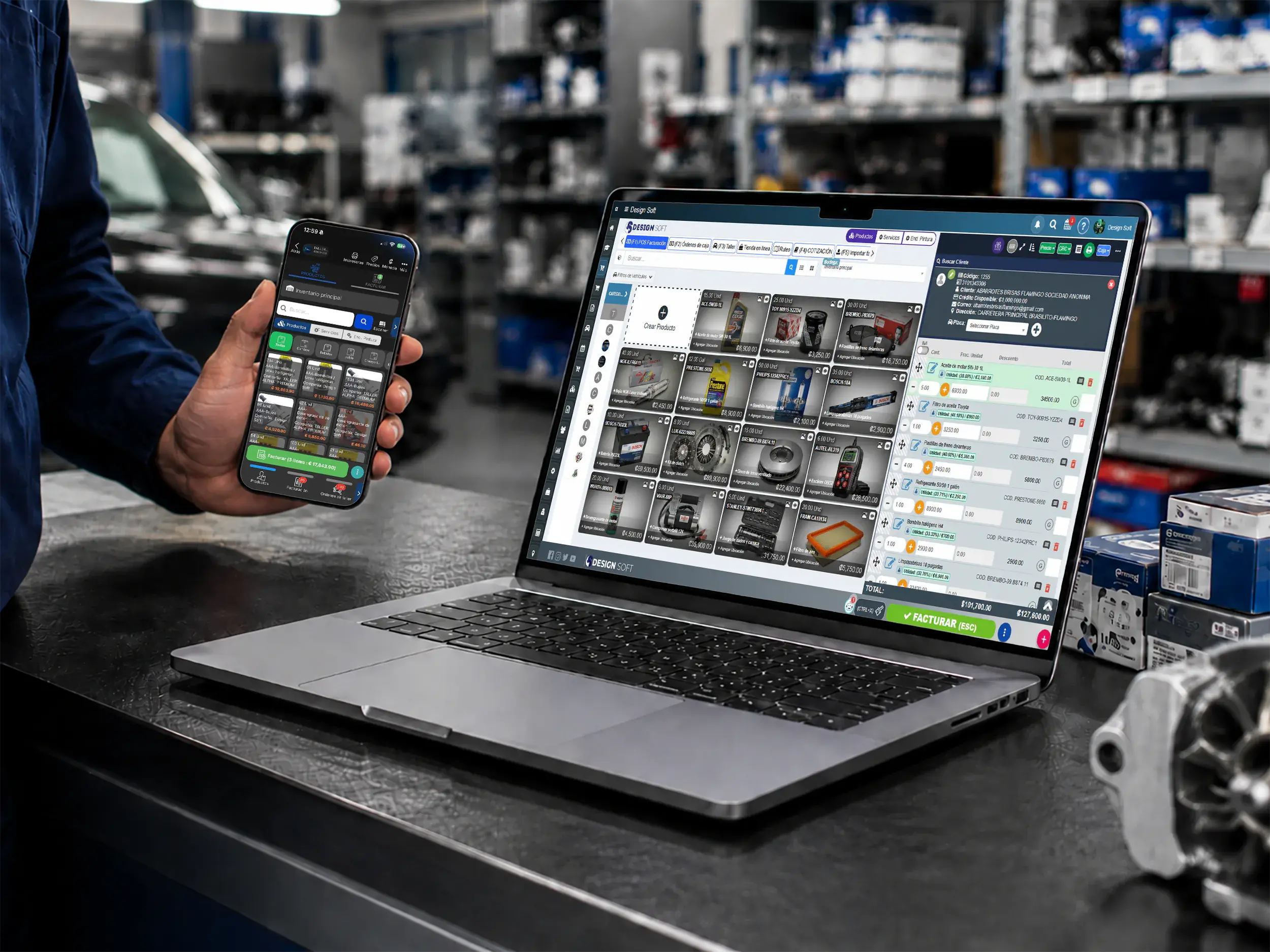
Connect the Kanban board to your point of sale so services and parts get billed clearly as the repair moves toward delivery and invoicing.
- Counter and checkout
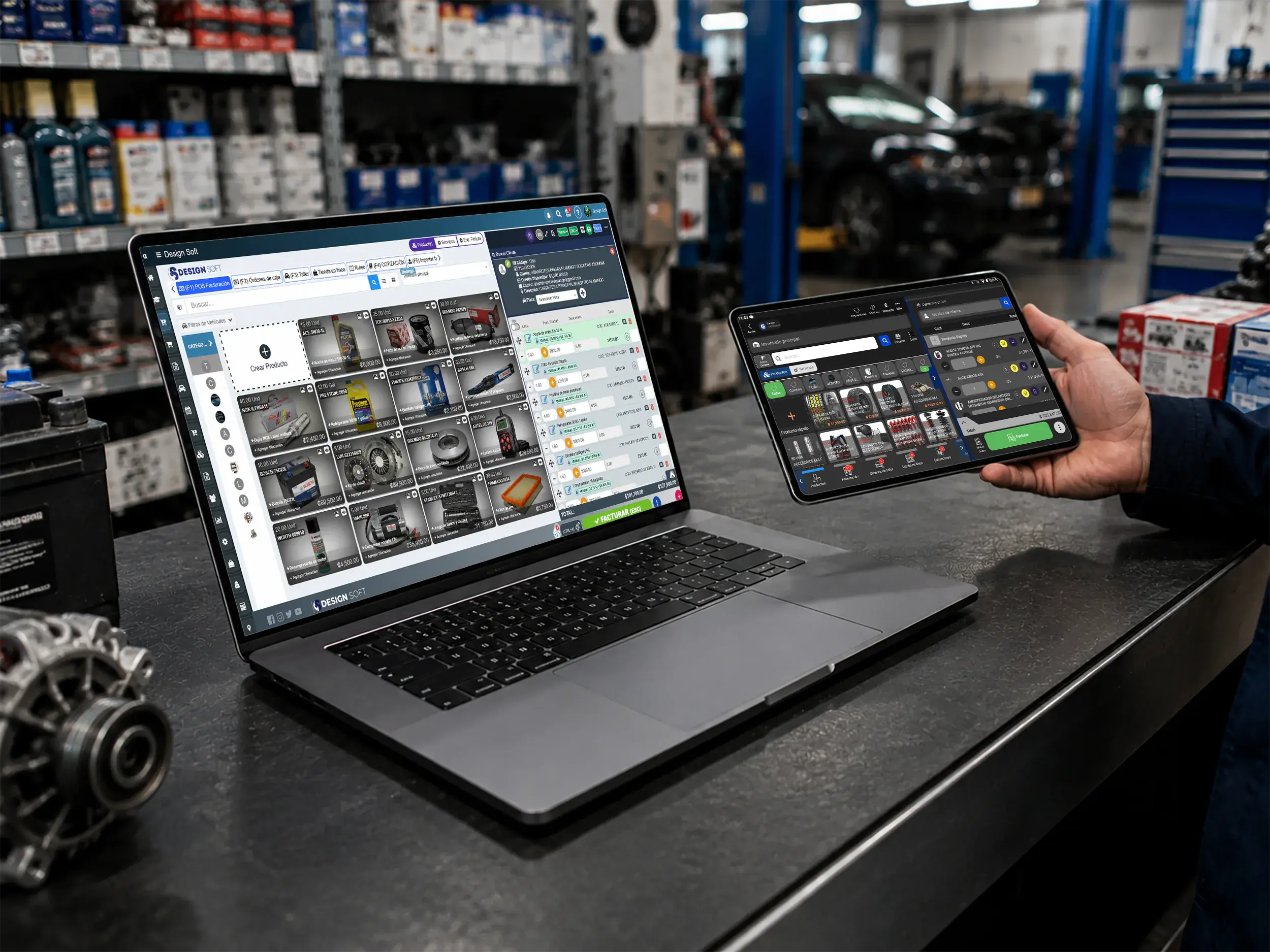
Operational close-out
Go from the board to the closed ticket
Use a desktop or tablet to turn board cards into sales, deposits or invoices with a cleaner handoff between the bay and the front counter.
- Web and mobile
Flexible invoicing
Invoices and deposits from wherever you work
Collect progress payments, services or parts from web or mobile so the team keeps continuity between the Kanban board and closing the job.
Parts Inventory for Kanban Board
- Mobile lookup
Inventory for Kanban
Check parts by job status
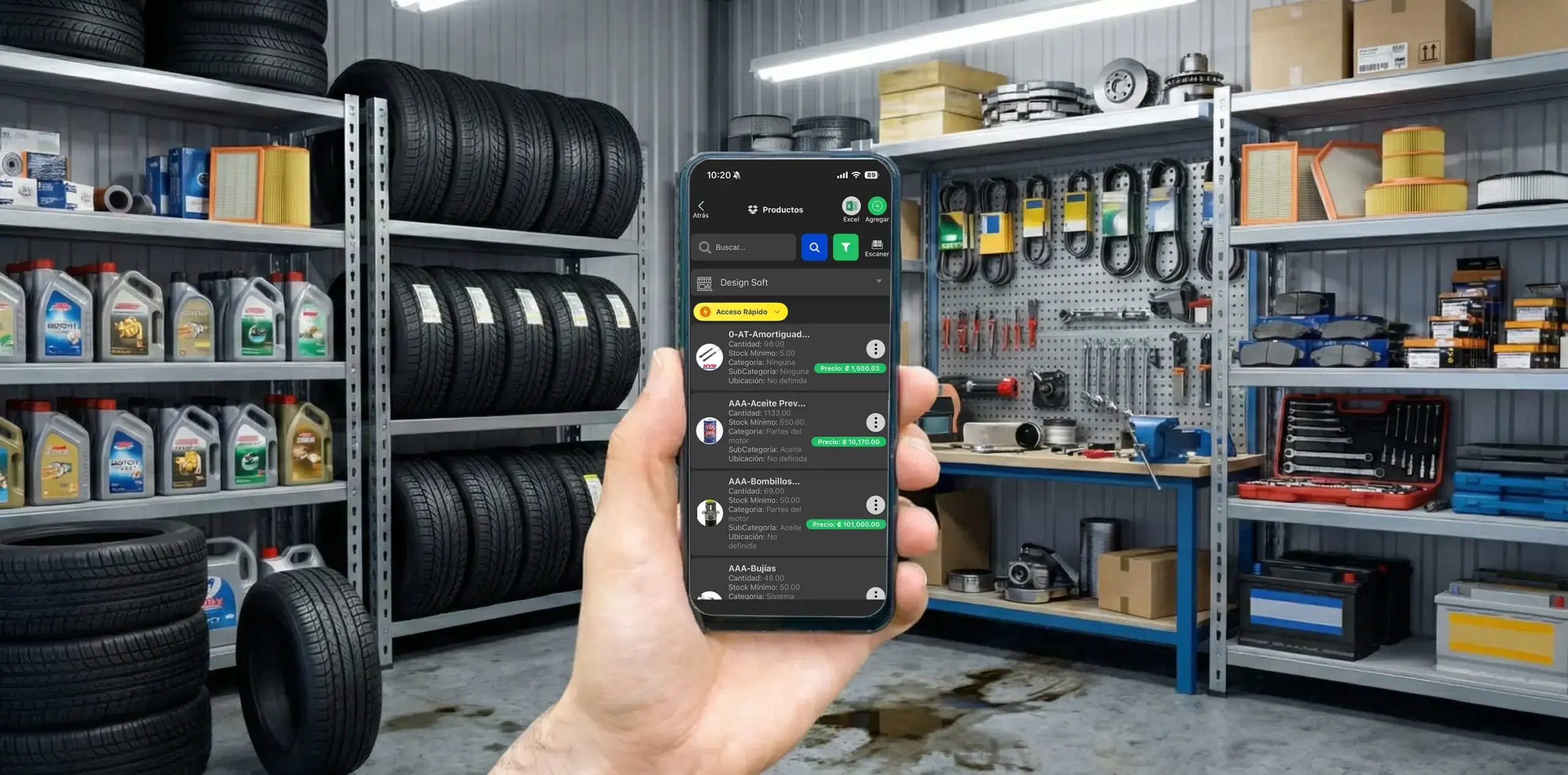
Check stock and products from your phone so you can answer fast when a repair order moves on the board and needs parts or a stock check.
- Parts control
Inventory tied to the workflow
Prevent stockouts with inventory tied to every stage
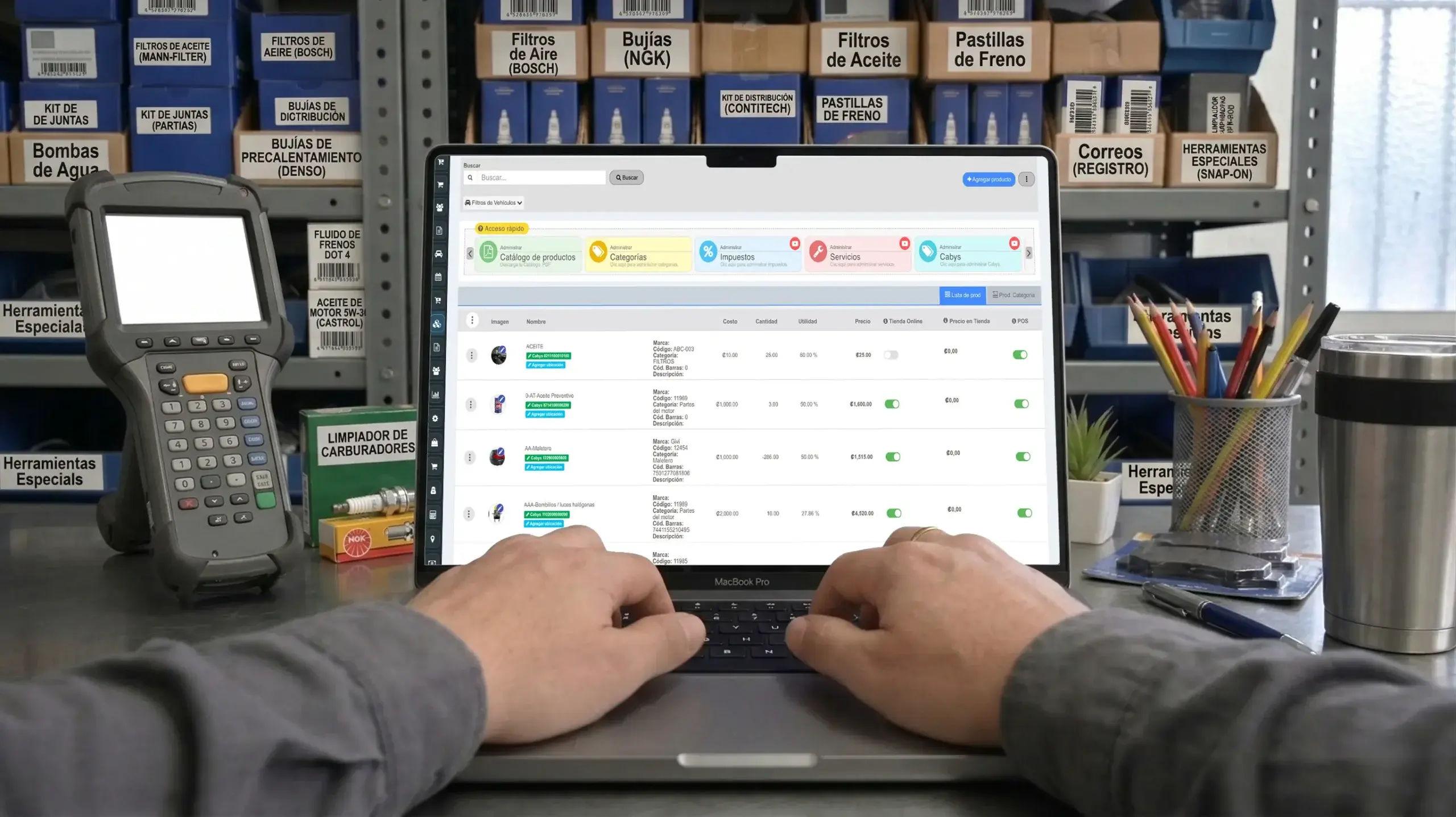
Keep control of parts, costs and availability so the board shows clearly which jobs can move and which need attention.
- Stock and alerts
Operational continuity
Catch bottlenecks caused by missing parts
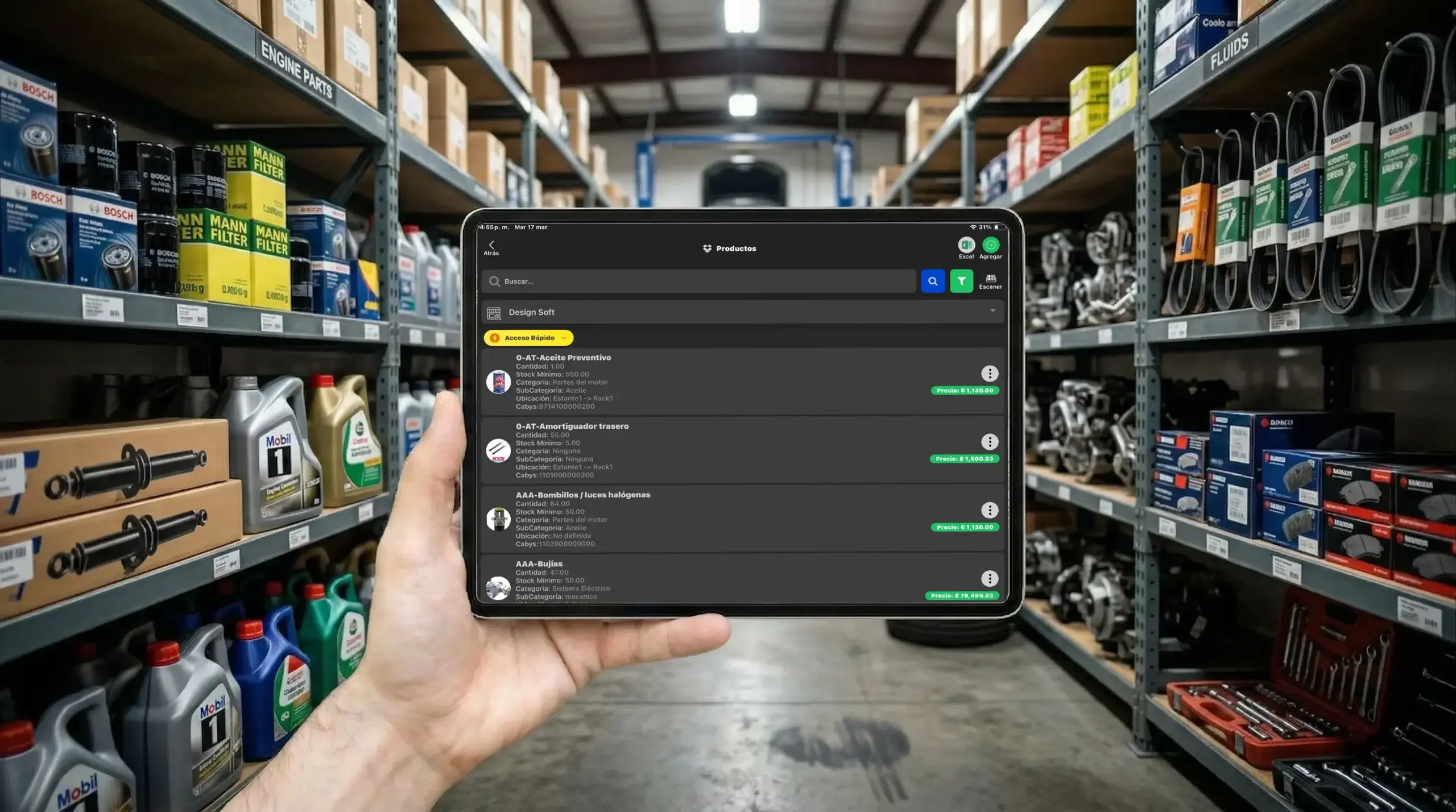
See shortages and critical stock before a column on the board stalls waiting on parts.
- Physical count
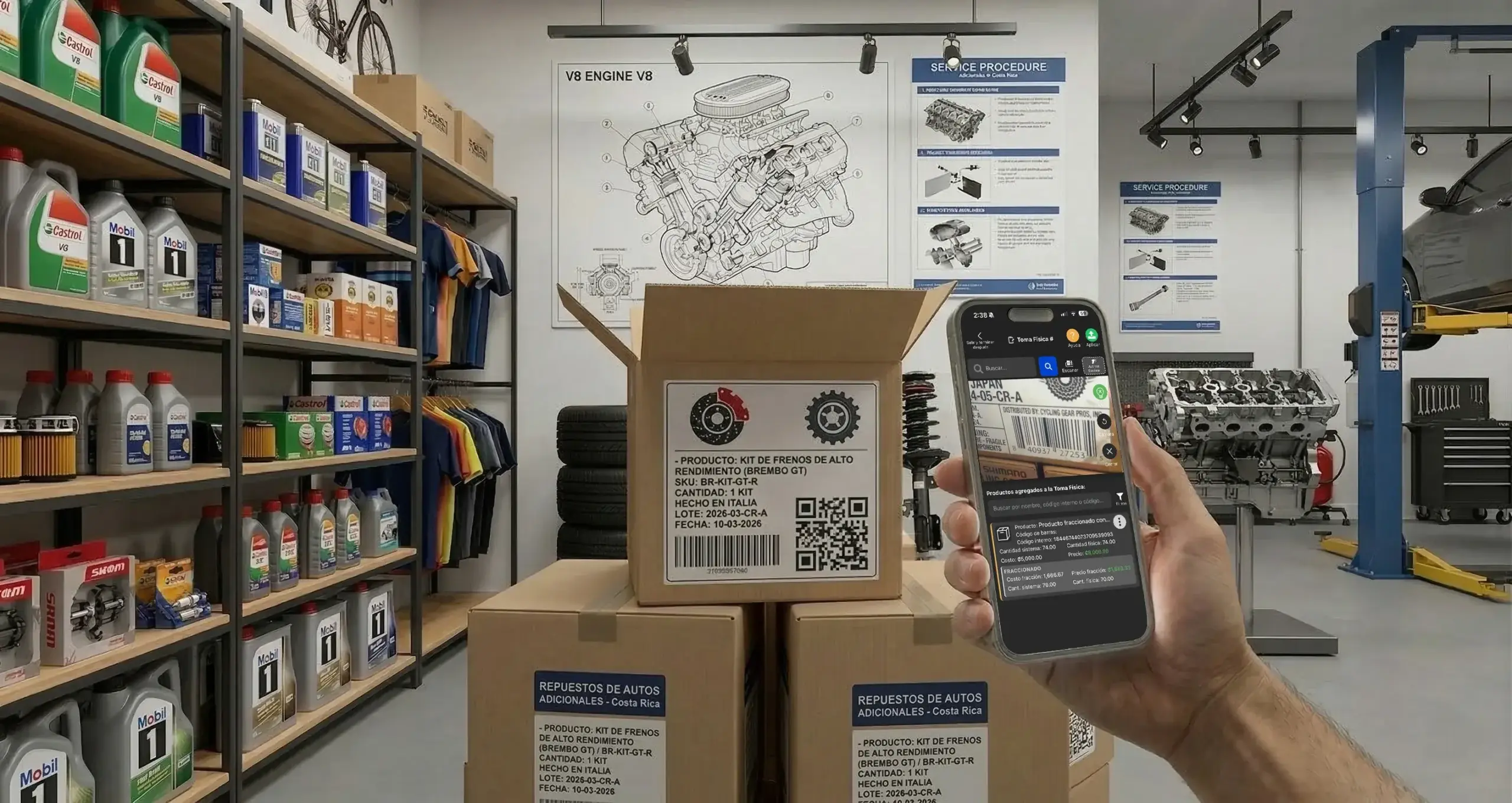
Counting and accuracy
Update quantities with more accuracy
Run physical counts with barcode scanning and align inventory with the board so every repair moves on reliable information.
Reporting for Kanban Board
Use Kanban board reporting built for auto repair shops to measure productivity, stage times and on-time delivery with real precision.
- Team performance

Kanban reporting
Find the stages that slow you down
Analyze repair orders, stage times and team performance to see where delays start and how to improve the flow on the board.
- Detailed analysis
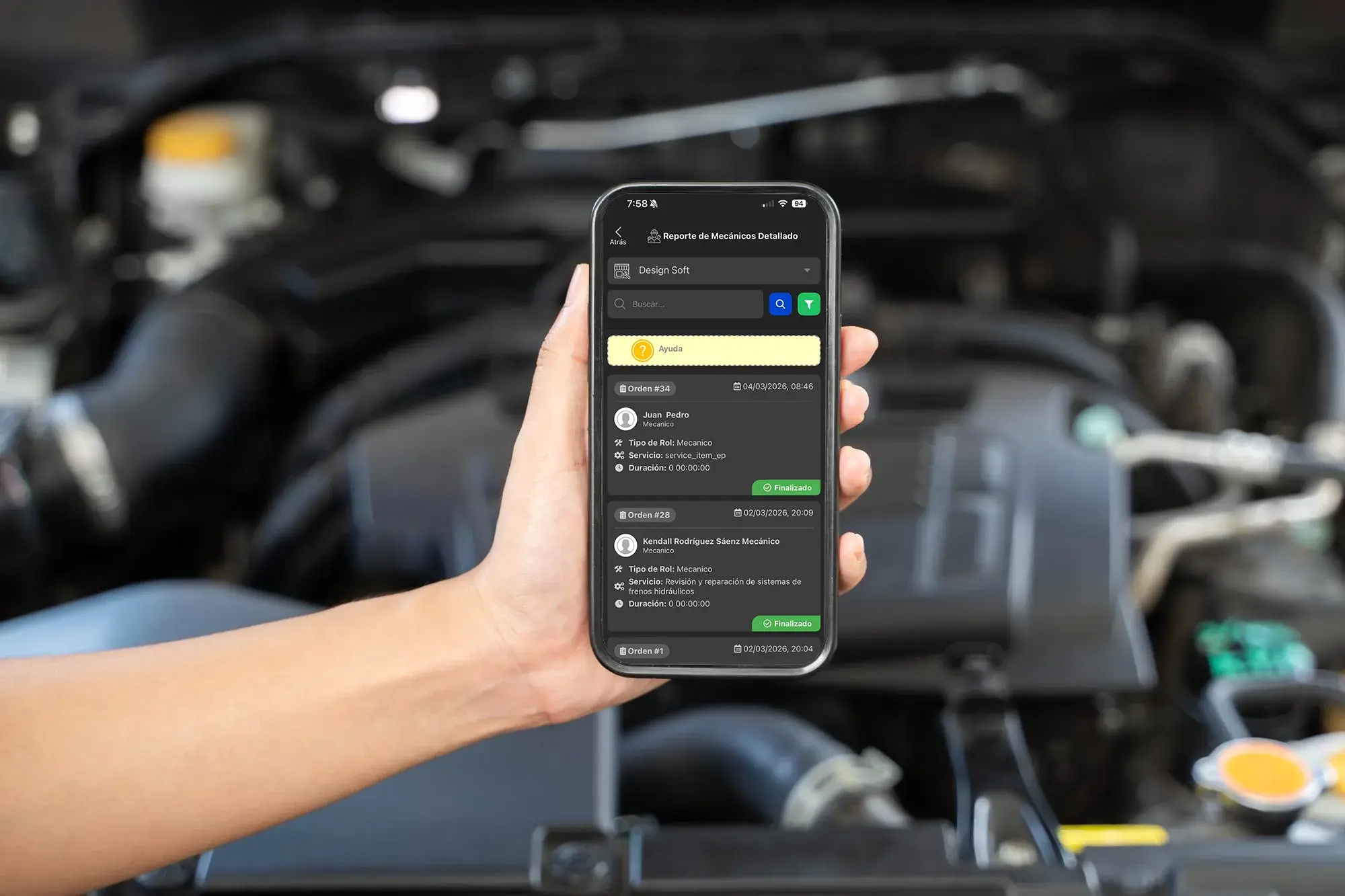
Stage-level control
Analyze every repair order in more depth
See exactly how long a repair sat in each column, what work was done, and which technician touched it along the way.
- PDF report

Customer transparency
Hand over reports with more clarity and backup
Generate PDF reports with services, parts and documented progress to back up the work from the board through final delivery.
Download the Kanban Board App
Get the Taller Alpha app on the App Store or Google Play, or use a web browser to manage the Kanban board, repair orders, technicians and inventory from any device.
-
App Store

Kanban on iPhone
Take the board with you from the App Store
Use the Taller Alpha app on iPhone to review columns, repair orders, technicians and board progress from anywhere.
Available for iPhone and iPad

-
Google Play

Kanban on Android
Manage stages from Android
Reach the Kanban board from Android to follow repairs, owners and timing without being tied to one computer.
Available for Android phones

- Web access
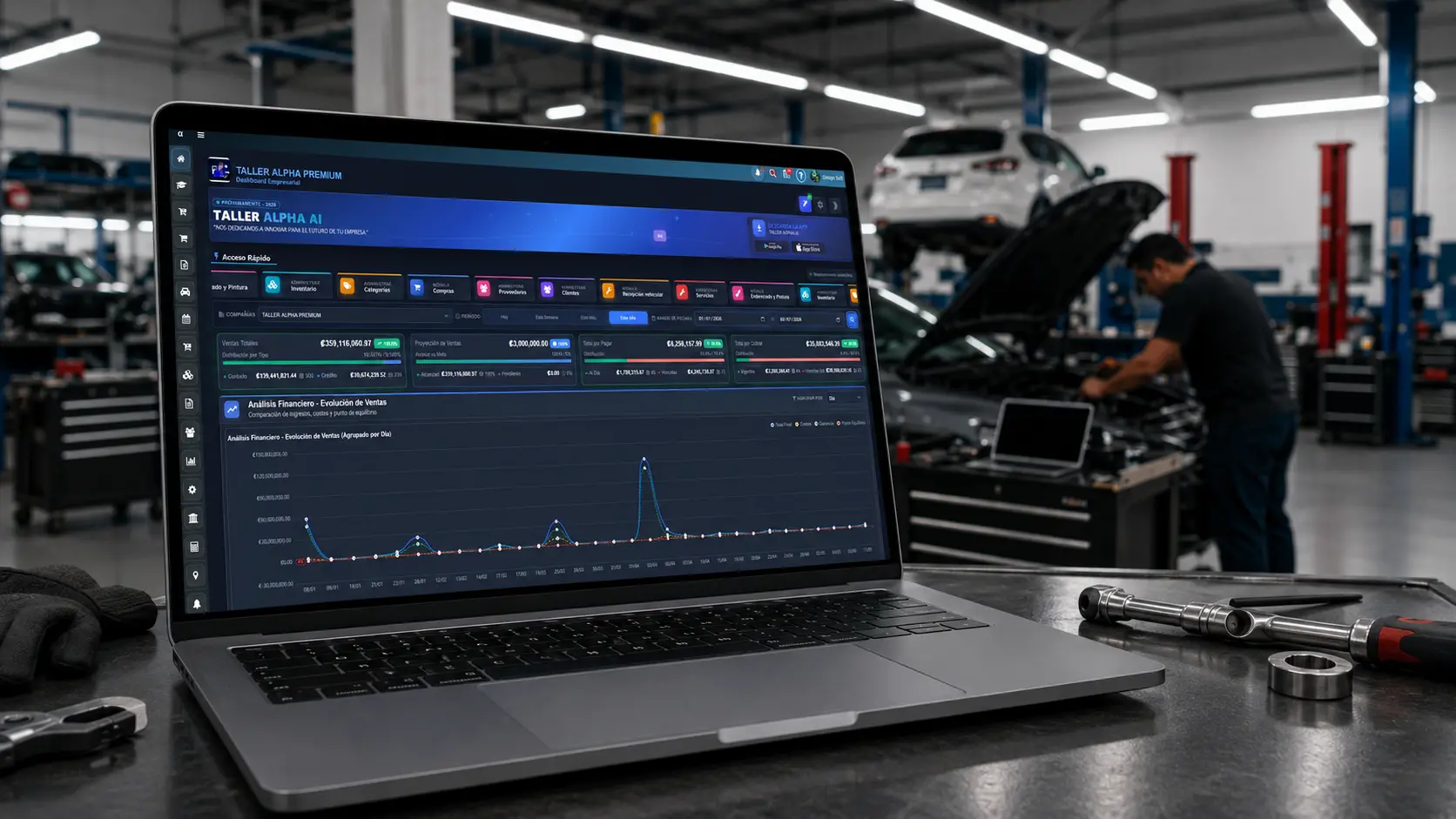
Kanban in the browser
Work from the web too
Sign in from a browser to manage the Kanban board, move repair orders, check inventory, collect payment and run the shop.
Compatible with Chrome, Edge, Firefox, and Safari.
We recommend Firefox for a more stable experience.