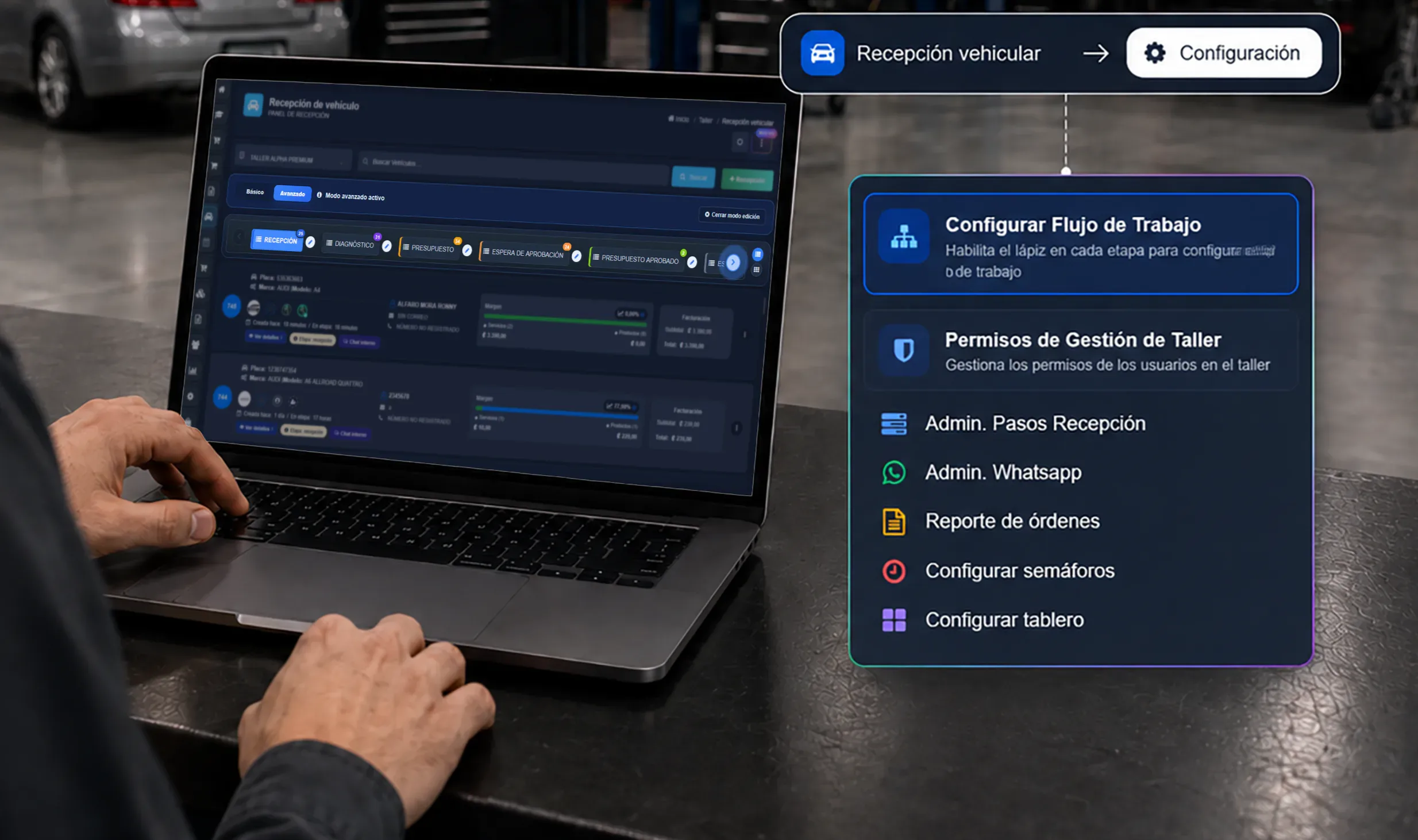
Going paperless with repair orders is not just swapping a printed sheet for a screen. It means organizing the vehicle’s whole journey so the front counter, technicians and the office all read the same information without retyping it into a notepad, a spreadsheet, a group text and a separate invoice.
The change can start gradually. What matters is defining a simple process the team agrees on, and using it consistently on every new vehicle. This guide is about that transition: moving from manual records to digital repair order management without trying to reinvent the whole shop in a week.
What a digital repair order changes
A digital RO brings the information that follows a repair — from check-in to close-out — into a single record. Instead of hunting through paperwork, photos on three different phones, and text threads, the team can pull up the vehicle’s context inside the same order.
Going digital does not mean every shop should use identical fields or stages. It means important data gets recorded once, has an owner, and is available when someone else on the team needs it.
If you first need to define what an RO is and which fields it should carry, read the guide on how to write a repair order. This article has a different focus: implementing the digital process and getting it to stick in daily operations.
The problems with paper, spreadsheets and manual process
Paper and spreadsheets can work at first, but they break down once several vehicles are in the shop, several people are involved, or someone needs a detail from three days ago. Familiar symptoms:
- the front counter does not know whether the customer approved additional work;
- the technician’s notes are in a notebook and the photos are on their phone;
- parts used never get tied to the repair;
- the only way to learn an RO’s status is to go ask someone;
- information gets retyped to estimate, to invoice, or to build a report;
- vehicle history depends on finding an old file, a chat, or a sheet in a binder.
Digitizing repair orders is about eliminating those copies and searches. It does not remove the technical work; it removes administrative steps that add no clarity to the service.
What a digital repair order should contain
Before picking tools or screens, define what information the shop needs to continue a repair without relying on one person’s memory. A useful baseline:
| Stage | Information worth recording |
|---|---|
| Check-in | Customer, vehicle, concern, odometer, visible condition and initial notes. |
| Diagnosis | Technical findings, recommendations, assigned tech and date. |
| Work | Services, labor, parts, priorities and assigned technician. |
| Authorization | What the customer approved, amount or scope, date and channel. |
| Evidence | Photos, notes and documents backing the intake or the work performed. |
| Follow-up | Current status, open items, parts on order and next action. |
| Close-out | Completed work, recommendations, delivery, payment and history for the next visit. |
You do not need to collect all of it at once. Check-in captures the initial information; diagnosis, parts and evidence get added as they happen. The order should grow with the repair — not become a form nobody can finish.
How to prep the shop before going digital
Technology will not fix a process nobody has agreed on. Before opening digital ROs, settle three things with the team.
1. The workflow every vehicle will follow
Write down the shop’s real stages. For example: received, in diagnosis, awaiting approval, waiting on parts, in repair, quality control, ready for delivery.
Use few statuses and define what has to happen to move an RO from one to the next. A workflow board helps visualize this when several vehicles are in process at once.
2. Which fields are required at each stage
Not everything has to be mandatory from day one. Decide what cannot be missing at check-in — customer, plate, odometer and concern, for instance — and what gets completed after diagnosis.
This avoids two failure modes: empty repair orders, or a check-in that stalls behind a form that is too long.
3. Who records and who reviews each piece
Clarify what belongs to the service writer, what the technician records, and who reviews estimates, authorizations and close-out. Going digital does not mean one person types everything; it means each owner leaves their part inside the same process.
Steps to roll out digital repair orders
Start with new repair orders only
Do not try to migrate every historical file at once. Start with vehicles that come in from a chosen date. The team learns the workflow without stopping the operation or loading old data nobody needs yet.
Historical records that matter can come in later, with clear criteria: repeat customers, active vehicles, warranty work, or repairs still open.
Digitize the vehicle check-in
Check-in is the starting point of every RO. Record the customer and vehicle details, the concern, odometer, fuel where it applies, accessories and visible condition.
A digital vehicle check-in also gives the technician and the customer a clear baseline. If your shop uses photos or an inspection checklist, they should attach to the order from this moment — not live in a separate channel.
Record the diagnosis and the proposed work
Separate what the customer reports from what the technician finds. The concern can be “noise when braking”; the diagnosis should document the technical finding and the recommended actions.
Then add the services, labor and expected parts. Recording this inside the RO keeps an estimate, a parts list and a technical note from drifting apart into three different versions of the same job.
Define how authorizations get documented
The team needs to know when work requires confirmation and how to record it. A useful authorization identifies the approved scope, the date, and the channel it came through. You do not need to turn every conversation into paperwork; you need a record you can pull up when a question comes back.
Use photos and evidence with clear criteria
Photos earn their place when they explain the intake condition, visible damage, a diagnostic finding, or the result of a repair. Set expectations for what is worth capturing and avoid photos with no connection to the order.
Tie each piece of evidence to the moment in the process. A useful photo is one that shows what was observed, when, and on which vehicle — even to someone reading it days later.
Assign owners and keep statuses current
A digital repair order should answer two questions fast: who has the vehicle, and what is needed to move forward. Assign an owner where it applies and update the status as each stage completes.
Do not let statuses become decoration. Every change should point to an action: diagnose, order a part, request approval, repair, inspect, or deliver.
Keep the right person informed
Customer communication improves when the team can read the same order before replying. Define which updates get shared, at what points, and who sends them. An approval request is not the same message as “your vehicle is ready.”
With notes, evidence and statuses centralized, the front counter can answer with context and the technician does not have to reconstruct the story of the repair every time a call comes in.
Close the order and preserve the history
When the job finishes, confirm the services performed, parts used, pending recommendations and delivery details. Close-out is not just administrative: it sets up the history that makes the next visit easier.
Good history answers what was done, what was found, what was recommended and what is still open. If that is complete at close-out, nobody has to rebuild it when the vehicle comes back.
Common mistakes during the rollout
Most implementation problems are not missing features — they are a process that became hard to follow. Avoid these:
- asking for too many fields in the first week;
- running paper and digital in parallel indefinitely without deciding which is the system of record;
- letting photos, authorizations or notes stay in personal chats;
- using vague statuses like “pending” without saying what is missing;
- training the team on hypotheticals instead of real repair orders;
- not reviewing the first few weeks to correct fields, stages or responsibilities;
- measuring adoption by record count instead of checking whether the information is good enough to continue the work.
The transition has to be simple enough that the team still uses it on a busy day.
How to tell whether it is working
During the first weeks, pull a handful of closed repair orders and answer these:
- Do they all have customer, vehicle and concern?
- Can you tell the status without calling the technician?
- Did diagnosis, services, parts and authorizations all land on the same order?
- Are the necessary photos attached to the correct vehicle?
- Does close-out leave history that helps on the next visit?
- Has the team stopped copying the same information into several places?
If an answer keeps coming back negative, fix the process before adding more fields or automations. Going digital works when it reduces how often people have to ask, search, or re-enter data.
Once the data is clean, the numbers get useful
A side effect of consistent digital ROs is that your metrics stop being guesswork. Cycle time, comebacks and average repair order only mean something when every job is recorded the same way — see the auto repair shop KPIs guide for what to do with that data.
Centralizing the information
When digital repair orders get used consistently, the shop has one source for understanding every vehicle. That makes it easier to coordinate check-in, diagnosis, work, parts and close-out without depending on separate documents.
To implement this kind of process with a purpose-built tool, Taller Alpha centralizes check-in, repair orders, assigned technicians, inventory and vehicle tracking. The goal is not to replace the team’s judgment, but to give it a shared record to work from.
Frequently asked questions
What does digitizing repair orders mean?
Moving from records scattered across paper, spreadsheets or messages to a process where vehicle information, diagnosis, work, owners, evidence and close-out all live inside one repair order.
Can a shop go paperless gradually?
Yes. The practical path is to start with new repair orders, define the minimum required fields, and adjust the workflow with the team before migrating any historical information.
What should a digital repair order include?
Customer, vehicle, concern, diagnosis, services, parts, assigned technician, authorizations, evidence, statuses and close-out. Fields fill in as the repair progresses.
How do you keep the team from going back to paper?
Keep the process short, make clear who records each stage, and review the first real repair orders together. If the digital RO helps people find information without copying it again, adoption follows.
How do you measure digital repair order management?
Check whether orders get completed, whether each vehicle’s status is visible without asking, whether authorizations and evidence are available, and whether the history is ready when the repair closes.