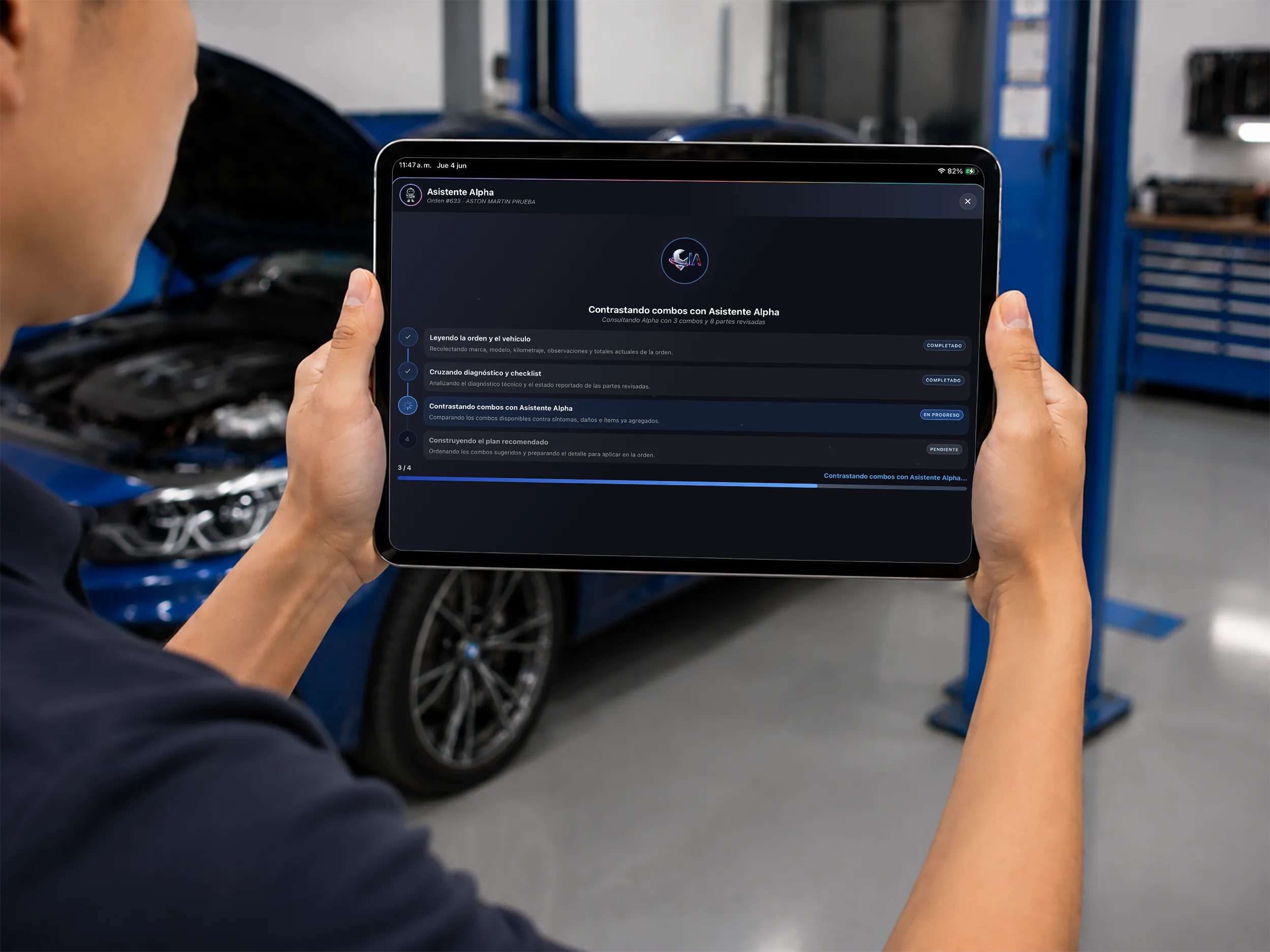
Short answer: the best auto repair shop software is the one that controls the whole operation — vehicle check-in, repair orders, a visual workflow board, parts inventory, invoicing and customers — and cuts administrative work with technology that actually helps.
This guide covers how to compare alternatives against your real workflow, the deployment model, and the functions your team will use every day. Where it fits, it uses Taller Alpha as a concrete example so you can evaluate the product separately.
If you want to see these functions in a real product, review Taller Alpha’s auto repair shop software.
What makes software the right fit for your shop
This is not about picking the system with the most buttons. The best option follows your real workflow, is easy for the team to adopt, and lets you pull up the information you need without hopping between tools.
Seven criteria worth reviewing:
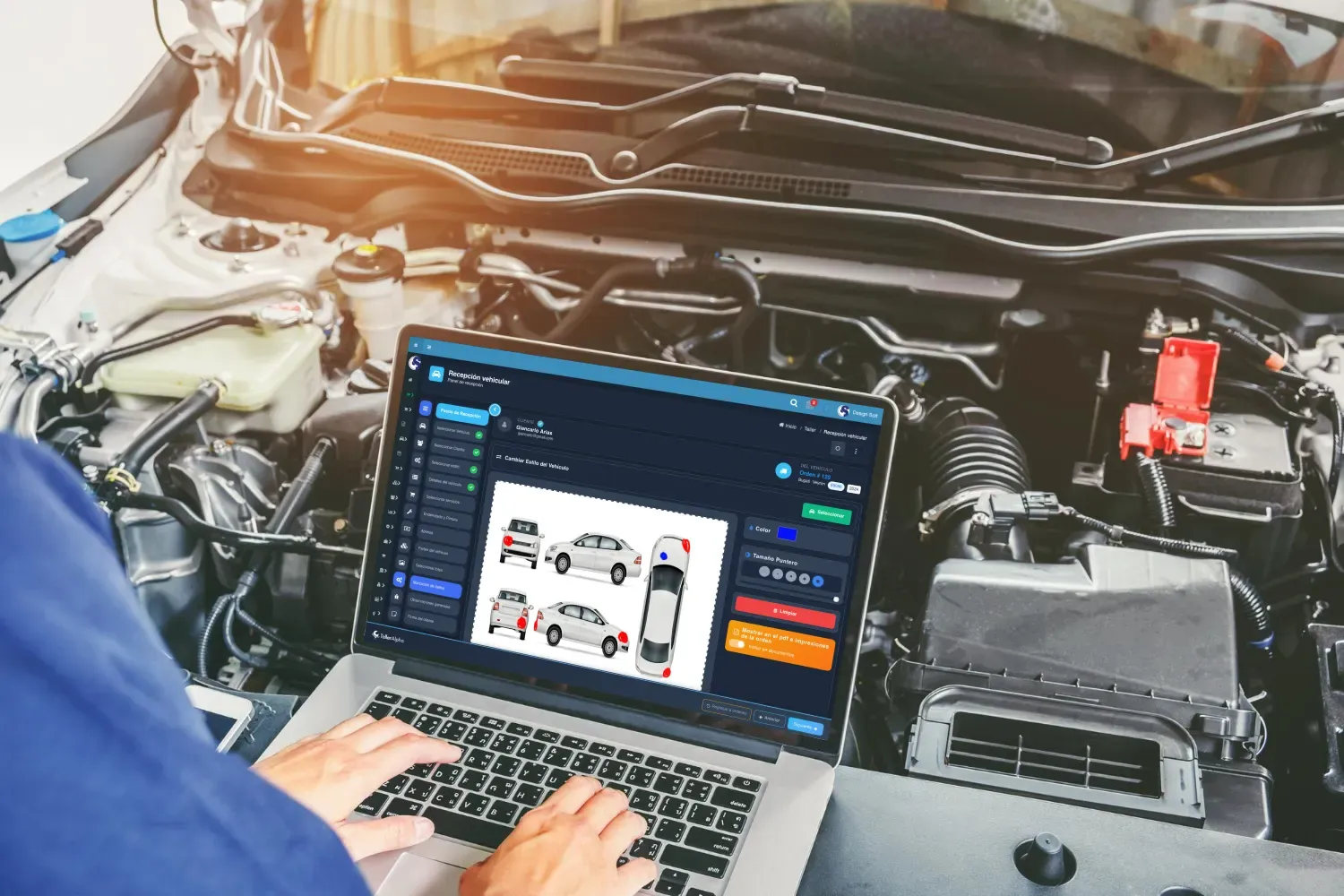
- Digital vehicle check-in: record the vehicle with photos, pre-existing damage, a checklist and a customer signature.
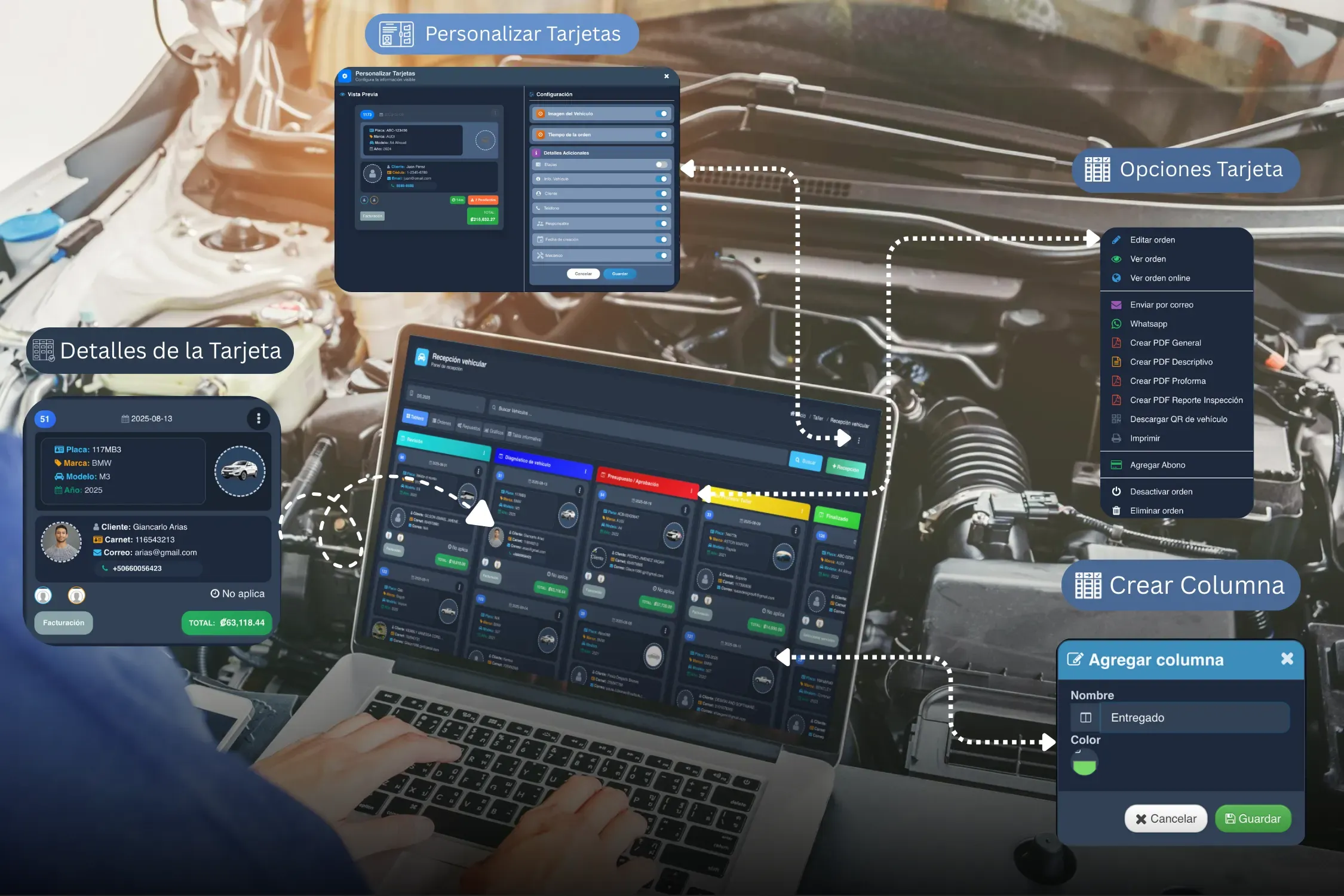
- Repair orders and a workflow board: know what stage each repair is in and who owns it.
- Parts inventory: control receipts, issues and on-hand quantities tied to each repair order.
- Integrated invoicing: turn completed work into a bill without duplicating information.
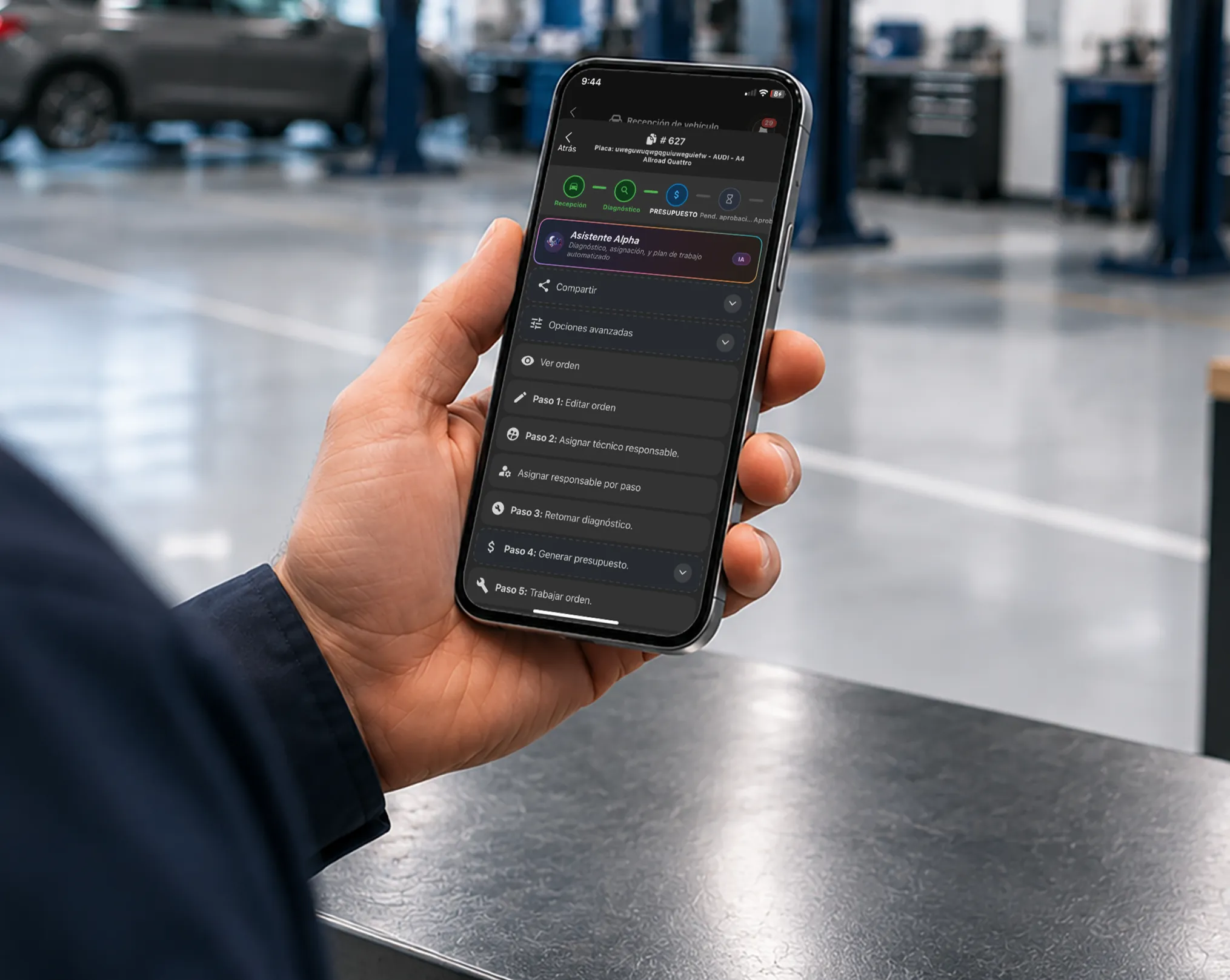
- Mobile access: check vehicles in and review repair orders from a phone or tablet.
- AI assistance: speed up diagnoses, technical notes and estimates without replacing the technician’s judgment.
- Management reporting: understand productivity, revenue and operational performance.
A comparison framework
Before comparing brands, look at how each system handles your real needs. This table lets you evaluate every option with the same tests:
| Criterion | What it should solve | How to verify it |
|---|---|---|
| Vehicle check-in | Evidence, pre-existing damage and authorization | Check in a vehicle with photos, checklist and signature |
| Repair orders | Clear tracking on every repair | Create an RO, assign owners and change its status |
| Inventory | On-hand quantities and linked movements | Use a part and confirm how the quantity changes |
| Invoicing | Avoid re-entering information | Turn a completed RO into an invoice without retyping |
| Mobility | Work and review away from the desk | Repeat a task from a phone or tablet |
| Reporting | Turn the operation into useful information | Request a report on repair orders, cycle time or productivity |
| Growth | Keep control as the operation expands | Ask how users, permissions and multiple locations work |
| Support | Resolve questions during rollout | Confirm channels, hours, training and scope of service |
Use the table as a starting point. Before deciding, run the same vehicle, same repair order and same scenario through every demo. That way you compare results, not sales presentations.
On-premise or cloud: what to actually compare
The decision should not rest only on where the system is installed. What matters is how each option affects access, maintenance, backups and continuity of work.
| Aspect | On-premise software | Cloud software |
|---|---|---|
| Access | Usually depends on the machines and network where it is installed | Reachable from authorized devices with a connection |
| Maintenance | The shop may have to manage installations and updates | The vendor normally handles updates |
| Backups | Must be configured and verified inside your operation | Depend on the vendor’s backup and recovery policy |
| Multiple locations | May require additional infrastructure and setup | Usually makes shared access across sites easier |
| Continuity | Depends on the machine, server and local backup | Depends on your connection and the service’s uptime |
Before choosing, ask how information is recovered, what happens if the connection drops, who administers updates, and how each user’s access is controlled. Do not assume every on-premise or cloud solution works the same way.
Which type of solution to compare
Beyond on-premise versus cloud, it helps to distinguish the category of solution. Each can work in a different scenario:
| Approach | When it can work | What to verify |
|---|---|---|
| Spreadsheets | Small operations with few users and simple processes | Typing errors, duplicate versions, backups, and how hard it is to link repair orders and inventory |
| Generic business software | Businesses that mainly need sales, invoicing or accounting | Whether it can represent vehicle check-in, diagnoses, owners, statuses and technical history |
| Purpose-built shop software | Operations that need to connect the vehicle’s journey with parts, technicians and payments | Ease of use, fit to your workflow, rollout, support and how deep each module really goes |
| Separate tools per area | Teams already using different solutions for sales, inventory and communication | Integrations, duplicate data, stacked costs, and who owns it when a connection breaks |
| All-in-one platform | Shops that prefer keeping operations and administration in one environment | Permissions, scalability, data export, and whether processes can be adapted without over-complicating them |
No approach is automatically better. The decision depends on team size, repair order volume, inventory complexity, and how much each area needs to share information.
How to compare two options beyond the feature list
Two programs can both list inventory, repair orders and invoicing while solving those processes very differently. To compare with evidence, run the same real case in every demo:
- check in a vehicle with damage, photos and customer authorization;
- create the diagnosis, the estimate and the repair order;
- assign owners and move the vehicle between stages;
- deduct the parts used from inventory;
- prepare the invoice without retyping the information;
- pull up the customer and vehicle history;
- review an operational report from another device.
The best comparison reproduces your daily work — not the one that stacks the most checkmarks in a table.
What to ask before signing
A demo shows you the interface, but the decision also depends on rollout and continuity terms. Before signing, ask for concrete answers on:
- Implementation: how long it takes, what information the shop has to prepare, and who supports the initial setup.
- Training: which sessions are included, for which roles, and whether there are materials for onboarding new hires.
- Support: which channels, what hours, and which situations carry an extra cost.
- Full costs: what the plan includes, how many users it allows, and how additional locations, modules or storage are billed.
- Data and export: how to download customers, vehicles, repair orders, inventory and documents if you need them.
- Permissions and security: how access is limited by role, how accounts are protected, and what audit trail exists for changes.
- Updates: how often they happen, whether they interrupt the operation, and whether they are included.
- Continuity: what happens if the connection, a device or the vendor’s service fails.
- Growth: how you add technicians, areas, stockrooms or locations without losing control.
- Cancellation: what the process is and how your data is handed back when service ends.
Ask for the important answers in writing. That lets you compare vendors precisely instead of deciding on a promotion or a well-rehearsed demo.
If Taller Alpha is one of the options you are evaluating, review how its shop software works and use these questions during the demo.
How to evaluate AI in shop software
AI can cut typing, organize information and give you a starting point on some tasks. It should not replace diagnosis, technical validation or the team’s decisions.
When comparing AI-equipped solutions, ask what information it uses, which tasks it can perform, who validates the result, what happens when a suggestion is wrong, and how your shop’s data is protected.
In Taller Alpha, the Alpha AI Assistant is aimed at supporting daily work in scenarios like these:
Diagnosis and voice notes
The technician can dictate observations and turn them into text inside the repair order process. That cuts typing and lets findings get documented while the vehicle is being inspected.
Structured technical reports
The Alpha AI Assistant helps organize recorded information so it can be presented more clearly. The technician keeps control and validates the content before sharing it with the customer.
Support for preparing estimates
AI can analyze observations, vehicle information and repair order items to suggest services, products or bundles available in the system. The team gets a starting point and makes the final call with their own experience.
What to verify during the demo
- whether the technician can review and edit the result before saving or sharing it;
- what information the tool uses to generate a suggestion;
- whether the feature is optional and the process continues without it;
- how an incomplete or wrong response gets corrected;
- what data is stored and who can access it.
An AI feature earns its place when it removes repetitive work without hiding human judgment or complicating the shop’s main process.
Which fits which type of shop
Not every business works the same way. The solution should adapt to the vehicle type, the pace of service, and the controls each operation needs.
- General auto repair shop: needs check-in, repair orders, inventory, invoicing, reporting and tracking in one place.
- Motorcycle shop: benefits from a workflow adapted to motorcycle inspections, parts and services.
- Quick-lube or express service: needs fast check-in and mobile access.
- Collision and body shop: needs visual evidence, stage tracking and job control. See the auto body shop software.
- Car wash: benefits from fast throughput, service control and billing.
How to make a good decision
List the problems that eat the most time in your shop today. Then request a demo using a real case and check:
- how long it takes the team to create a check-in and a repair order;
- whether inventory updates along with the work performed;
- how easy it is to know each vehicle’s status;
- how information moves from the repair order to the invoice;
- which tasks can be done from the mobile app;
- which reports you can pull without building a spreadsheet;
- how the vendor supports go-live.
The best software is not the same for everyone. It is the one your team will use consistently and that lets you decide with current information.
If a free tool is still on your list, the guide on free auto repair shop software covers where those limits usually appear. And if the device question is what you are stuck on, see cloud vs desktop shop software.
Frequently asked questions
What is the best auto repair shop software?
The one that connects check-in, repair orders, inventory, invoicing and customers, and adapts to your real workflow. Taller Alpha integrates these areas and adds AI assistance.
Is there shop software with AI?
Yes. Taller Alpha includes the Alpha AI Assistant for voice dictation, organizing technical reports, and supporting estimate preparation.
Does the software handle invoicing?
Taller Alpha builds invoicing tools into the operation, including electronic invoicing in the markets where that applies.
Does it work for motorcycle shops, quick-lube or car washes?
Yes. Taller Alpha has solutions for motorcycle shops, quick-lube centers, collision and paint, car washes, tire shops and other automotive service businesses.
Is there a mobile app?
Yes. Taller Alpha has iOS and Android apps for working with and reviewing shop information from mobile devices.