Free auto repair shop software does exist — but “free” does not always mean the same thing. It can be a basic plan with caps, an open-source project you host yourself, a spreadsheet adapted to the shop, or a trial that runs for a couple of weeks.
A free tool can be enough to get started, learn to organize information, or run a very small operation. It does not always cover what a growing shop needs: several technicians, simultaneous repair orders, inventory, photos, authorizations, invoicing, reporting and vehicle tracking.
Short answer: it is worth it when it solves the process you actually have today and its limits are clear. It stops being worth it when it forces the team to duplicate data, work outside the system, or lose visibility of the operation.
What “free” actually means here
Before choosing, identify which type of option you are looking at. These look similar in a search result but carry very different responsibilities and costs.
Free or freemium plan
Lets you use some features without paying, usually with caps on users, repair orders, vehicles, storage or modules. Useful for getting to know a tool, as long as the vendor clearly explains what the plan includes and what requires a subscription.
Open-source software
The code may carry no license cost, but installation, the server, backups, security, updates and support can land on you. A valid option if you have technical knowledge in-house or someone who can administer it.
Spreadsheets and templates
A template can work as an initial record of customers, vehicles or services. It is not really a shop management system, because it does not automatically connect inventory, owners, statuses, evidence, invoicing and reports.
Time-limited trial
A demo or trial does not make a product free software. It is there to help you evaluate before buying, but you need to know the price, the terms, and what happens to your data when the period ends.
What a free option usually offers
Scope varies by tool. A free shop program might include some of these basics:
- customer records and contact details;
- vehicle profiles;
- simple repair orders;
- notes on services performed;
- basic repair history;
- simple estimates or records;
- limited features depending on the plan.
That can be enough to replace a paper notebook or start centralizing information. Even so, test the full flow: from the vehicle arriving through the work being delivered and billed.
Limits to check before you commit
Not every free option has the same caps. Instead of assuming, read the published terms and test the processes your team runs daily.
| Area | Possible limitation | Impact on the shop |
|---|---|---|
| Users | Access for one person or a few users | Technicians and the front counter end up sharing logins or working outside the system. |
| Repair orders | Monthly or total cap | The system stops serving you right when work picks up. |
| Storage | Little room for photos and documents | You lose the ability to keep complete evidence on a vehicle. |
| Inventory | Basic tracking or no module at all | Stock ends up disconnected from repair orders and sales. |
| Reports | Few or no metrics | Hard to analyze productivity, sales and open work. |
| Support | Community, docs or limited response | Fixing errors and rolling out the system takes longer. |
| Automations | Manual alerts, statuses and tasks | The team has to remember follow-ups and update information separately. |
| Invoicing | Not included or not adapted to your market | You may have to re-enter the sale in another tool. |
| Tracking | No stage workflow or assigned owners | The front counter loses clarity on status and who has each vehicle. |
| Scalability | No modules, permissions or added capacity | Migrating data becomes urgent right when the shop is growing. |
The biggest cost is not always the subscription. It is also the time spent copying information, fixing errors, hunting for photos, answering questions and building reports by hand.
When a free option makes sense
Free shop software can be reasonable when:
- you are starting out and process few repair orders;
- one person or a very small team does the work;
- you only need to record customers, vehicles and basic services;
- you want to test a way of working before defining a fuller process;
- you understand the limits and have a safe way to back up your information;
- the tool lets you export your data if you later need to migrate.
In that scenario, the priority should not be stacking up features. It should be building the habit of recording every job consistently and keeping the information organized.
Signs you have outgrown it
The limits start hurting the operation when things like this show up:
- the front counter keeps asking who has each vehicle;
- several technicians need to work on the same repair orders;
- parts and services get recorded in different files;
- photos end up scattered across phones and chats;
- there is no reliable vehicle history;
- it is hard to tell which jobs are waiting on approval;
- the office has to copy information over to invoice;
- reports require manually reviewing several records;
- the shop needs different permissions for the counter, technicians, parts and the office.
If the team is compensating for limitations with paper, messages, spreadsheets and several apps, the system has stopped centralizing anything.
When it is time for a paid system
It is worth evaluating a professional solution when you need to control the whole process, not just record an order. That usually happens as technicians, vehicles, parts, locations or administrative tasks increase.
A professional system should help connect:
- vehicle check-in and initial evidence;
- diagnoses, estimates and approvals;
- repair orders with owners and statuses;
- inventory, requests and parts consumption;
- invoicing and payment;
- customer and vehicle history;
- operational and financial reports;
- permissions, support and onboarding for the team.
The decision is not only about size. A small shop with a complex operation can need more control than a large one running a few standardized services.
Taller Alpha as a paid alternative
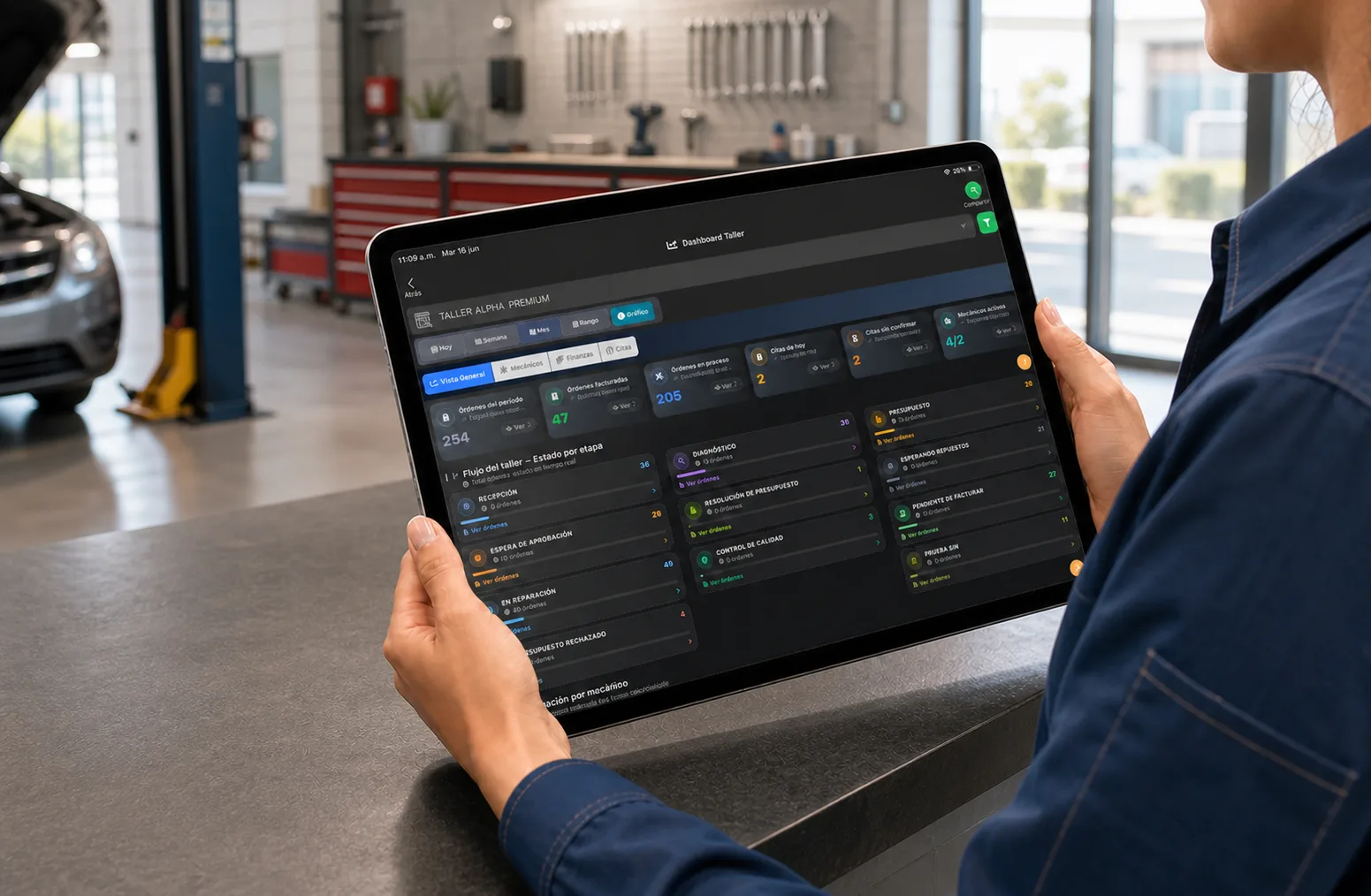
Taller Alpha is not free software. It is a professional platform for shops that connects vehicle check-in, repair orders, assigned owners, inventory, invoicing, customers, reports and mobile access inside one operation.
The difference against a basic tool is continuity: the information recorded at check-in follows the diagnosis, the repair, the parts, the payment and the history. It also supports different users and responsibilities without depending on separate files.
You can review the features and workflow of Taller Alpha’s auto repair shop software before deciding whether it fits your business.
How to compare before deciding
Before adopting any free shop system or paying for a professional one, answer these:
- How many users, repair orders and vehicles does it support?
- What happens when you hit the plan’s limit?
- Can you export customers, vehicles, repair orders and inventory?
- Who handles backups and updates?
- Is support included, and how fast does it respond?
- Does it connect inventory, repair orders and invoicing?
- Can you assign owners and track statuses?
- Does it keep photos, authorizations and history?
- Can the team use it on the devices they already have?
- Is the cost of migrating clear if the shop grows?
Do not choose on the sticker price alone. Compare how much manual work it removes, which risks it reduces, and whether it can carry the operation for the next few years.
If you are still weighing options, the guide on how to compare auto repair shop software walks through the criteria in more depth.
Frequently asked questions
Is there free software for auto repair shops?
Yes. There are free tools, freemium plans, open-source projects and spreadsheet-based options. Confirm what each includes and what extra costs it may require for setup, maintenance or growth.
What limits do they usually have?
They can cap users, repair orders, storage, inventory, reports, support, automations, invoicing or vehicle tracking. Terms depend on the tool.
Does free software work for a shop with several technicians?
It can serve as an initial trial, but a multi-tech team usually needs permissions, owners, statuses and traceability. Without those, parallel processes tend to appear.
When is it worth paying for a system?
When you need to control several repair orders, inventory, owners, approvals, invoicing, reports and support without splitting information across paper, messages and spreadsheets.