An auto repair shop schedule is more than a list of times. It tells you which vehicles are coming in, why, how long each one might take, and what the team needs to prep before opening a repair order. When that information is scattered across calls, texts and sticky notes, you get double-booked slots, rushed check-ins and customers who show up while nobody has any context.
Managing appointments with a clear process lets you organize the day before the vehicle rolls through the door. This guide covers how to do it without turning the schedule into one more chore.
Why an organized schedule changes how the shop runs
A well-recorded appointment gives you visibility into the workload ahead. Before the customer arrives, the service writer can review the reason for the visit and the team can tell whether it is a quick service, a diagnostic, or an inspection that will need real time.
That heads off some common problems:
- two vehicles booked into the same slot;
- technicians assigned more work than they can turn;
- vehicles arriving with no clear reason for the visit;
- customers waiting because check-in was never prepped;
- empty bays caused by a cancellation nobody recorded.
The schedule does not replace the service manager’s judgment. It gives them an organized view to decide what to accept, what to reschedule and what to prep first.
What an auto repair appointment should include
Not every visit needs the same data, but a useful appointment leaves enough context that the team is not starting from zero when the customer walks in.
| Information | What it is for |
|---|---|
| Customer and contact method | Identify the person and confirm schedule changes when needed. |
| Vehicle | Tie the visit to the right vehicle and review history if there is any. |
| Reason for the visit | Prep the opening conversation: maintenance, inspection, diagnostic or repair. |
| Date and time | Reserve the slot and avoid overlaps with other work. |
| Estimated duration | Plan realistic capacity for that day. |
| Assigned advisor or tech, when it applies | Line up who will inspect or receive the vehicle. |
| Notes | Keep details the customer mentioned up front, like a symptom or a special condition. |
| Confirmation status | Distinguish confirmed, awaiting reply, canceled and rescheduled. |
There is no need to collect data that does not feed the next step. The point is enough information to prep check-in — not an endless form nobody fills out.
Load the shop before you fill the calendar
Availability is not just the number of hours the shop is open. It also includes check-in time, diagnosis, authorization, delivery, and the surprises that show up mid-repair.
A practical way to schedule is to break the day into service slots and check what kind of work actually fits in each one. Here is what a morning might look like:
| Time | Expected visit | Estimated duration | Prep needed |
|---|---|---|---|
| 8:30 | Scheduled maintenance | 45 min | Review customer, vehicle and requested service. |
| 9:30 | Noise diagnostic | 60 min | Reserve time for inspection and record findings. |
| 11:00 | Pre-trip inspection | 30 min | Confirm inspection scope before taking the vehicle. |
| 11:45 | Buffer slot | Variable | Absorb delays, a walk-in, or a rescheduled appointment. |
Duration is an estimate, not a promise. Leaving margin keeps an early delay from dragging the whole day off schedule. If the shop runs several technicians, the manager can distribute visits by job type and by the capacity already committed.

Confirm the appointment and log every change
An appointment is only useful if the shop and the customer share the same information. Before the visit, confirm the time, the reason and anything the customer needs to know. If something changes, that change belongs in the calendar the team actually checks — not buried in one person’s text thread.
To cut down on missed appointments, follow a simple process:
- Record the request with the basics and a realistic time slot.
- Confirm date, time and reason for the visit with the customer.
- Check the calendar before assigning another job to the same slot.
- If the customer cancels or needs a new date, update the appointment and free the slot.
- At the start of the day, review which visits are confirmed and which need follow-up.
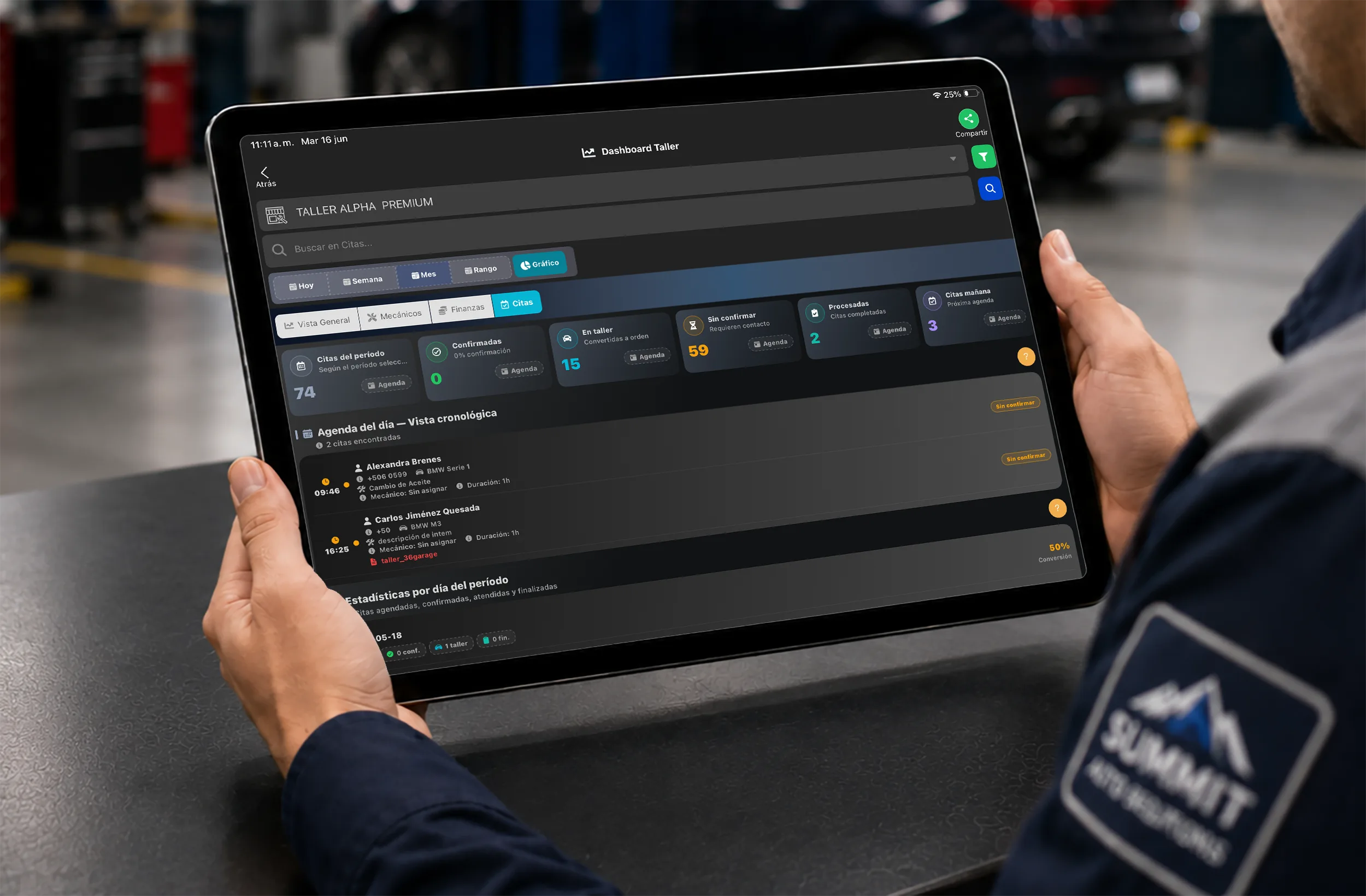
Taller Alpha displays recorded appointments and lets you review them inside the operation. It also includes notifications for following up on process updates. How and when you communicate with each customer should be set by your own shop process; do not assume every alert goes out on the same channel or automatically.

What to do about cancellations and no-shows
A cancellation does not have to blow up the whole day. Log it as soon as it happens, stop treating that slot as occupied, and decide whether you can pull a job forward or keep it as margin for something pending.
When there is a no-show, it is worth asking whether the problem was information, timing, or an expectation nobody set. Over time, this record lets you adjust how long certain services really take and pick more realistic slots per visit type.
Prep check-in before the vehicle arrives
The appointment organizes the before; check-in documents the vehicle actually arriving. With the calendar information ready, the service writer can validate details, listen to the reason for the visit, and move into the intake process when the vehicle rolls in.
Keeping that line clear avoids confusion between the two. The appointment does not replace the inspection, the notes or the condition record captured at check-in. For a closer look at that stage, see how digital vehicle check-in works.
From appointment to shop workflow
Once the vehicle arrives, the information you gathered earlier keeps the work moving: confirm the visit, complete check-in, and start the right process. If diagnosis turns up new findings, the shop can update the customer before proceeding with additional work.
The calendar should support that flow, not live apart from it. A management system lets you review appointments, customers and vehicles in the same place where the shop tracks its operation. See Taller Alpha’s approach to auto repair shop management software.
Common mistakes managing customer appointments
- Accepting time slots without checking real capacity. A full calendar is not always a productive one.
- Recording only a name and a time. Without the vehicle or the reason for the visit, the service writer loses context.
- Not updating cancellations or reschedules. The team preps for a visit that will not happen, or greets a customer whose slot was already given away.
- Leaving no margin for diagnosis and surprises. One small delay can cascade through the whole day.
- Confusing the appointment with check-in. Planning ahead and recording arrival are two different stages.
Organize appointments without breaking continuity
The goal is not to fill every minute of the calendar. It is to know what work is coming, prep the team, and give each customer a clearer experience. When appointments, customer records and vehicles all live in the same place, it is far easier to organize the day and pick the process back up at check-in.
Once the vehicle is in the bay, the numbers worth watching change — see which auto repair shop KPIs tell you whether the schedule is actually working.
If you want to see how Taller Alpha brings appointments, customers, vehicles and follow-up into one shop operation, you can request a demo.